
Alias tab
On the Alias tab you can filter by alias names (see _common config) and select the desired datapoint from the results:
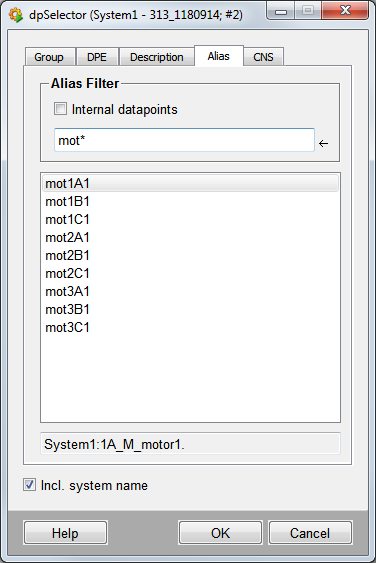
Alias filter
Enter an alias or name using wildcards. For example, mot* displays all datapoint elements beginning with an alias name mot, for example, mot1A_1. The display is in alphabetical order.
The text field below displays the associated datapoint element for each selected alias.
Incl. system name
Displays names with system name in the text field.
| Example | Description |
| Working with the DP selector | How to select a datapoint. |