
Group tab
The datapoints can be divided into main groups and groups which can also be used for filtering via the DP selector. The datapoints are shown depending on the further filter settings of the groups. (see datapoint groups):
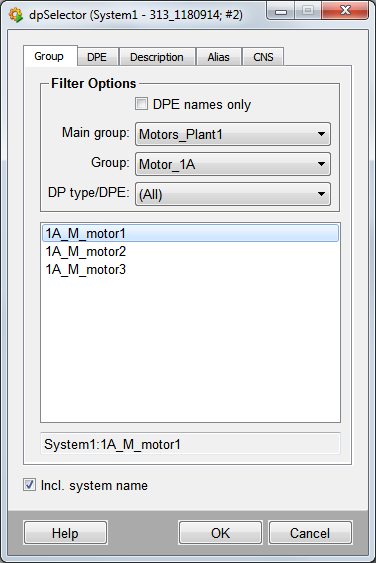
The following filter options are available:
DPE names only
Displays datapoint elements, no filter.
Main group
Displays all main groups. By default there are Alerts, Parameters, Commands, States, Values, OPCRead and OPCWrite (optional), SplitGet, SplitConnect, OPC_AE, OPC_AE_Simple.
Group
Displays any sub groups belonging to the main groups.
DP Type/DPE
Displays the subgroup filter settings.
Incl. system name
Displays names with system name. Without this option the datapoint list does not include the system name.
| Example | Description |
| Working with the DP selector | How to select a datapoint. |