
DPE tab
By default the DP selector is opened from this tab. The filtering options are the same as those in the old DP selector.
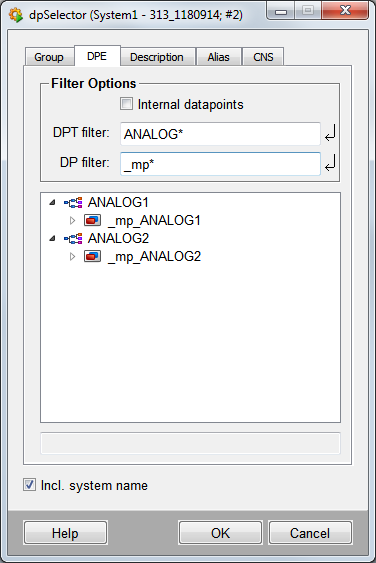
The following filter settings are available.
Internal datapoints
Selecting this option also includes the internal datapoints when filtering.
DPT filter
Displays either the datapoint type with the specified name or displays all data point types that match the wildcard search pattern (for example, ANALOG*).
DP filter
Displays either the datapoint with the specified name or displays all datapoints that match the wildcard search pattern (for example, _mp* displays all DPs that match this search pattern).
Always press the Enter key to confirm your input!
Select a datapoint by clicking to highlight it. The text field (read only) below shows the selected datapoint.
If you select a datapoint type or system name, the selection is not shown in the text field and is not applied when clicking on OK.
Incl. system name
Displays names with system name.
| Example | Description |
| Working with the DP selector | How to select a datapoint. |