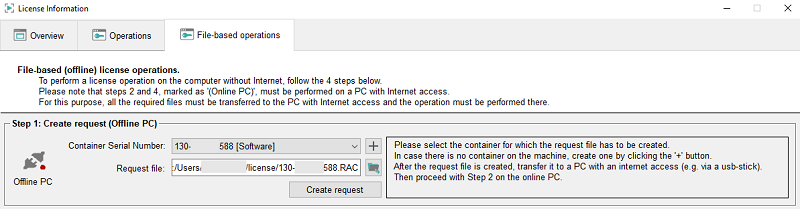
Step 1 - Create Request (Offline PC)
- Select the container or create a new container by clicking the + button. Then create a request by clicking the Create request button.
- Save the request file (.RAC)
to e.g., a USB stick and transfer the file to a PC with Internet access. By
default, the request file is saved in the directory Windows:
C:/Users/<userName>/license and Linux:
$HOME/license.
Note:If you change the default directory, note that the directory must be writable.
Figure 1. Step 1 - Create a Request (Offline PC)