Open the License Information panel via the License
Information button in the Project Administration panel
or the WinCC OAconsole.
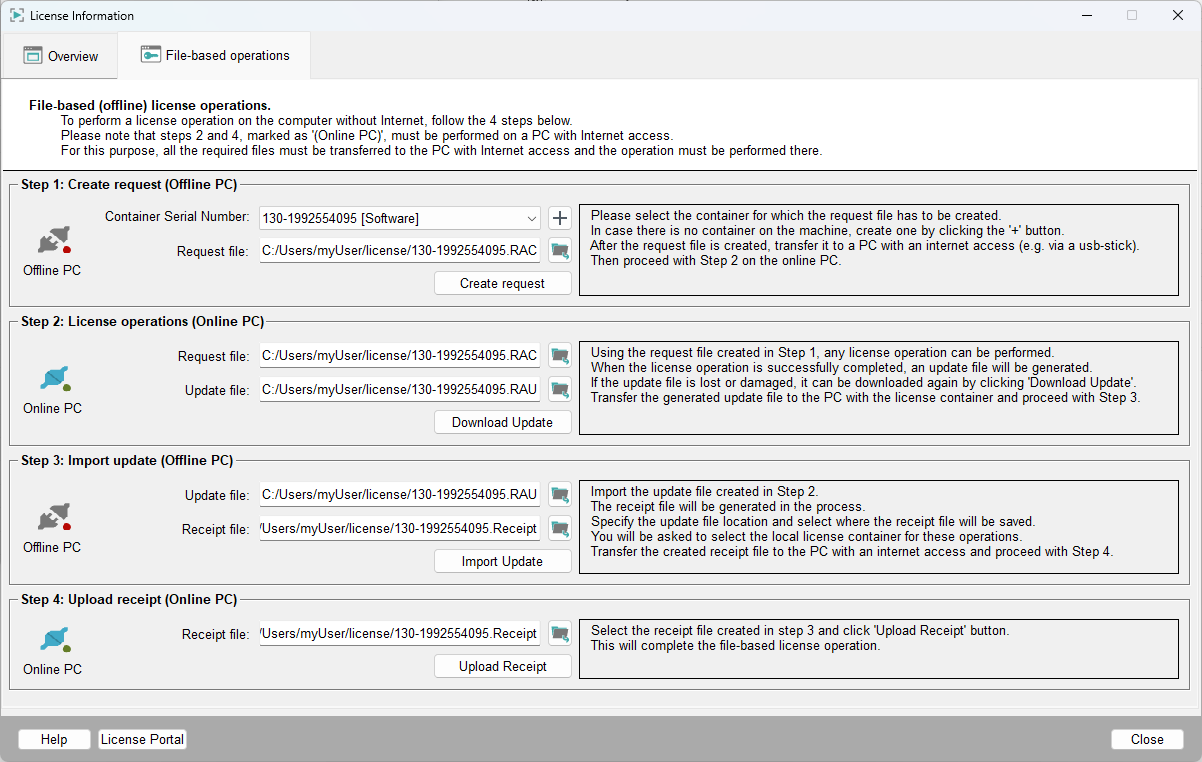
The Offline License Handling tab of the License
Information panel allows you to activate, deactivate or update a
license filebased. The steps below describe how to activate a license filebased. The
same steps apply to all license operations, meaning to deactivation and update.
Figure 1. License Information Panel - Offline License Handling
Note:
Online/Offline PC of a step (see below) indicates where
the operation should be performed.
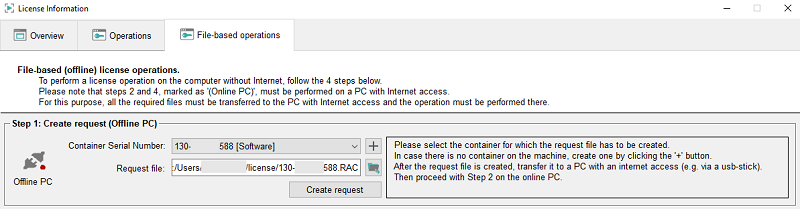
Step 1 - Create Request (Offline PC)
Select the container or create a new container by clicking the
+ button. Then create a request by clicking the
Create request button.
Save the request file (.RAC)
to e.g., a USB stick and transfer the file to a PC with Internet access. By
default, the request file is saved in the directory Windows:
C:/Users/<userName>/license and Linux:
$HOME/license.
Note:
If you change the default directory, note that the
directory must be writable.
Figure 2. Step 1 - Create a Request (Offline PC)
Step 2 - License Operations
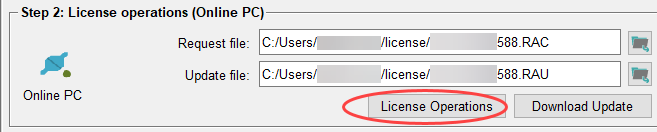
Add the request file (.RAC)
that has been created in the previous step and perform your changes within the WinCC OA License Portal on an Online PC either in WinCC OA or in the browser. When ready, press the
Download Update button to download and save the update
file (.RAU).
This file can be used in the next step to update the local license container on
the Offline PC.
Figure 3. License Operations
Step 3 - Import update and create a receipt (Offline PC)
Select the update file (.RAU)
that has been copied to the Offline PC within the Update file
field.
Figure 4. Import the Update File (.RAU)
Select the directory the receipt file should be saved in. By default, the receipt
file is saved in the Windows: C:/Users/<userName>/license
and Linux: $HOME/license directory.
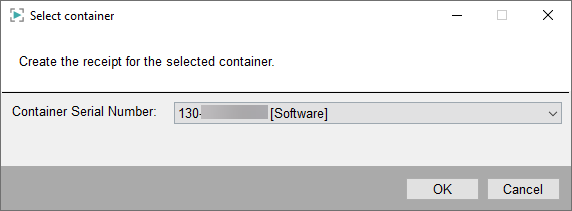
Click the Import Update button and select the same container
that you used earlier in Step 1 when
creating the request:
Figure 5. Select Container for the Receipt

 in the Project Administration panel
or the WinCC OAconsole.
in the Project Administration panel
or the WinCC OAconsole.