Architecture and technology
The WebUI Runtime provides a framework for building custom web-based standalone pages that connect to WinCC OA via WebSocket.
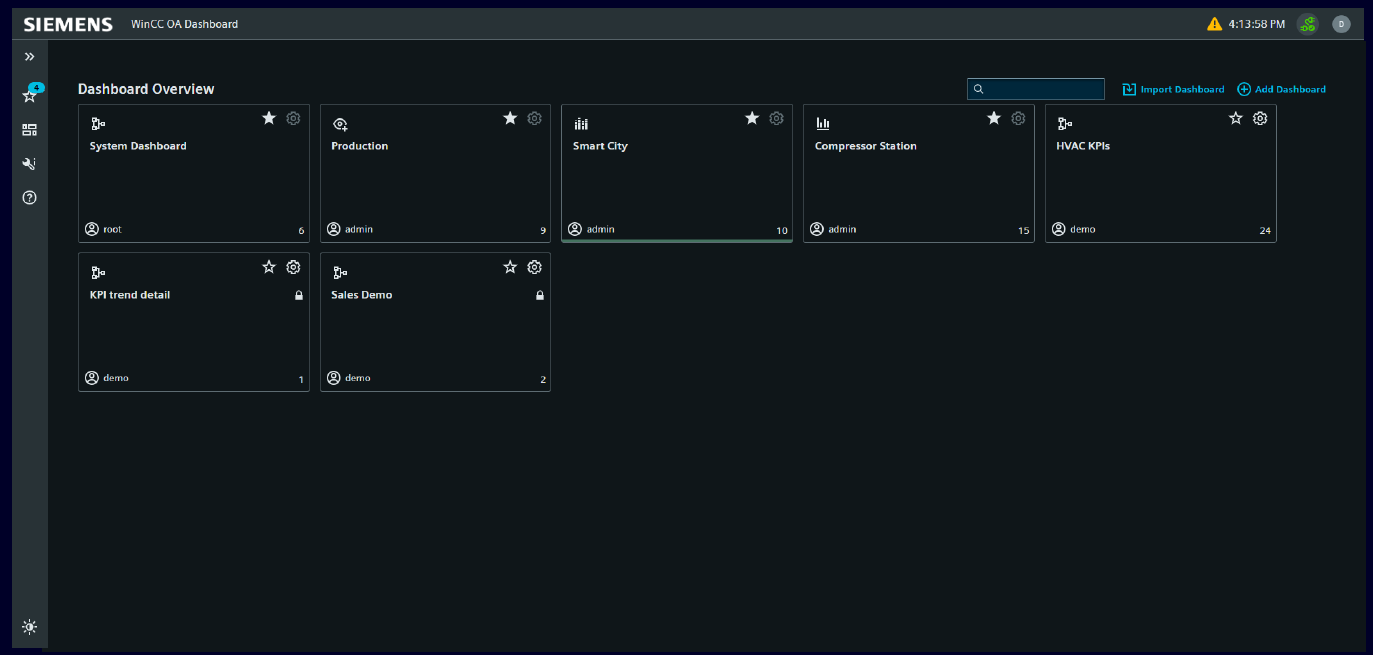
The WebUI Runtime is a web application framework built on Lit 3 Web Components, the Siemens IX design system, and the OaRxJsApi library. It enables developers to create custom standalone pages that display live process data, send control commands, and integrate with the WinCC OA Dashboard. The runtime also hosts applications such as Central Asset Management. Pages are served by the webserver.js and communicate with the backend through WebSocket connections managed by a Shared Worker. The entire stack uses one language and technology -- JavaScript/TypeScript -- from frontend to backend. The backend is powered by the webserver.js.
Standalone pages connect to WinCC OA datapoints in real time through the OaRxJsApi library, using dpConnect for live subscriptions and dpSet for writing values back to the process. A Shared Bundle architecture ensures that common libraries such as Lit, RxJS, and the Siemens IX design system are loaded once and shared across all pages, avoiding duplicate bundling. Pages integrate with the existing WinCC OA Dashboard and widget system, and can use the wui-context-generator to bind widgets declaratively to datapoints. The framework also supports alarm visualization with acknowledgment, historical trend charts based on ECharts, and interactive map views powered by Leaflet. Branding, theming including dark and light mode, and navigation layout are fully customizable.
Layered architecture
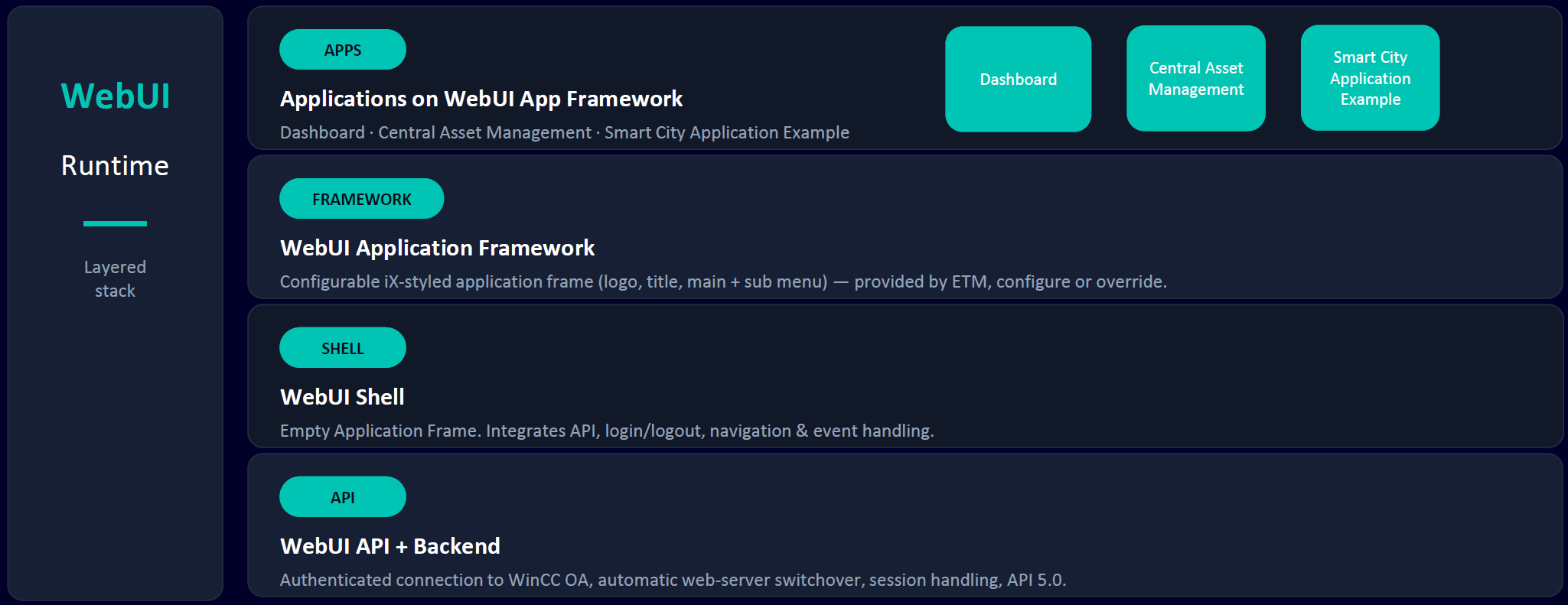
The WebUI Runtime is organized as a four-layer stack. Each layer builds on the one below and can be used independently.
| Layer | Description |
|---|---|
| API + Backend | A JavaScript/TypeScript-based high-performance web server
that provides HTTP(S) and WebSocket connections. Includes
authenticated connection to WinCC OA,
automatic web-server switchover, session handling, and
API 5.0. Backend services include Color Database, I18n
language handling, and Config entries via
/WebUI_Settings. The frontend library
provides all WinCC OA base services and
access to the MSA Interface. The server can be extended with
custom services and backend logic. |
| Shell | An invisible Web Component
(<shell>) that integrates the WebUI
API and handles login/logout, event handling (navigation,
login/logout events), routing, and session management. The
Shell can be used with any frontend framework. |
| Framework | The WebUI Application Framework provides a configurable Siemens IX-styled application frame with logo, title, and main menu. Sub-menu entries are configurable via inline menu, YAML configuration, or CNS Tree. Includes routing and deeplink navigation. |
| Apps | Applications built on the WebUI App Framework, including the Dashboard, Central Asset Management, and the Smart City application example. Custom standalone pages are also implemented at this layer. |
Adoption workflow
The right approach depends on how much of the user experience you need to customize. The following workflow helps determine the appropriate starting point:
- Use -- Start with the standard Dashboard. This is the quickest route to value when the standard Dashboard already fits most use cases.
- Extend -- Customize the Dashboard experience with branding (logos, titles), custom widgets, and a few custom pages. Low complexity.
- Build -- Use the engineering workspace for larger solutions that require custom routing, shell-level changes, or broader custom frontend behavior. More flexibility and engineering effort, but AI-assisted development is possible.
- Integrate -- Use the OaRxJsApi inside another frontend or application platform to bring WinCC OA data and components into your own application.
Technology stack
| Technology | Purpose |
|---|---|
| Lit 3 | Web Components framework |
| Siemens IX | Design system (components, icons, charts) |
| RxJS | Reactive datapoint connectivity |
| Vite 6 | Build tool |
| Nx | Monorepo management |
| OaRxJsApi | WebSocket communication with WinCC OA backend |
Import Map system
All shared libraries (Lit, RxJS,
Siemens IX, Dashboard) are built as Shared Bundles. The
index.html contains a
script type="importmap" that maps bare import specifiers
to bundle files. This ensures all pages share the same library instances
without duplicate bundling.
{
  "imports": {
    "lit": "./entry/lit.js",
    "rxjs": "./entry/rxjs.js",
    "@siemens/ix": "./entry/ix.js",
    "@etm-professional-control/oa-rx-js-api": "./entry/wui.js"
  }
}Lazy loading
Standalone pages are lazy-loaded on navigation. Each page is built as a
separate JavaScript module that is loaded only when the user navigates to
its route. The runtime loader uses dynamic import() for
modern browsers with a script-tag fallback.
Deployment model
Built files are deployed to the
data/dashboard-wc/ directory of the
WinCC OA project. The webserver.js serves these files and
provides the REST and WebSocket APIs. Access URL pattern:
https://host:port/data/dashboard-wc/index.html