
Manager Service API (MSA) – High-Level Overview
The Manager Service API (MSA) is the backbone for seamless, protocol-independent communication and logic reuse between WinCC OA managers, supporting modern distributed and web-integrated SCADA architectures.
Why the Manager Service API?
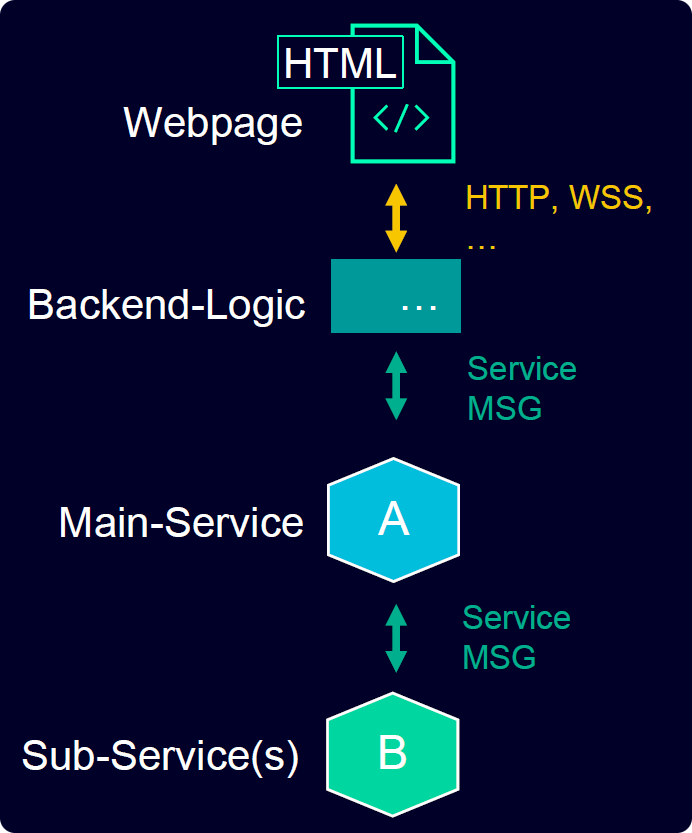
Modern automation systems demand flexibility, scalability, and integration with both legacy and web-based frontends. The Manager Service API (MSA) addresses these needs by enabling direct, robust communication between managers, allowing business logic to be implemented as reusable services. This approach supports both legacy and web-based frontends, facilitating integration and future-proofing your SCADA solutions.
Key Benefits at a Glance
- Seamless manager-to-manager communication, independent of protocol
- Polyglot support: implement services in C++, C#, TypeScript, and more
- Reuse of server-side logic across different frontends and clients
- Supports distributed, redundant, and versioned system scenarios
- Facilitates integration of web frontends with legacy systems
How Does It Work?
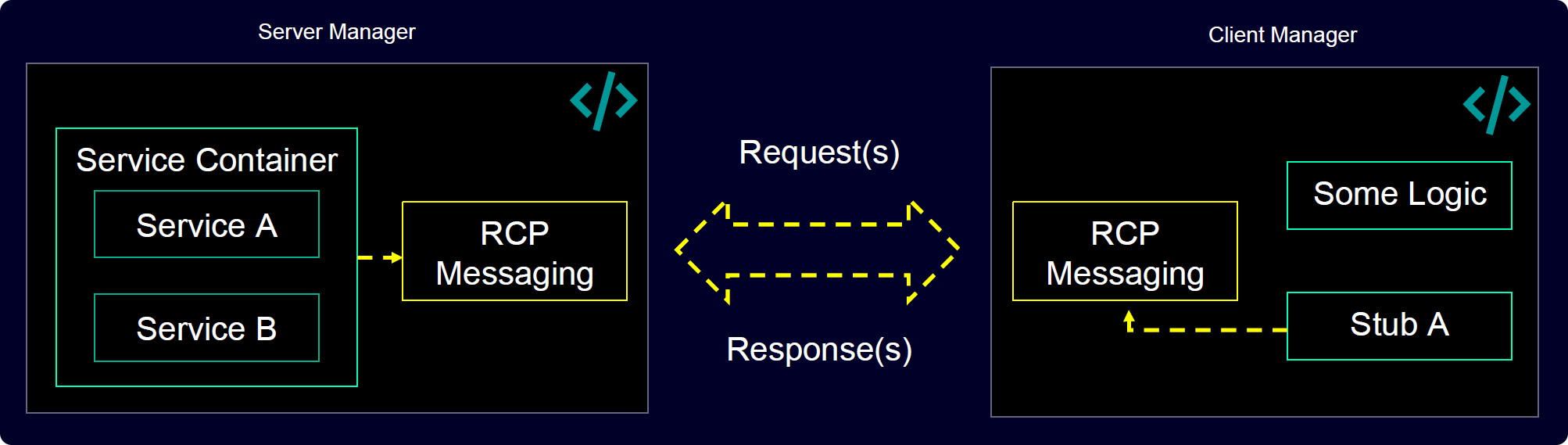
MSA is based on a service-oriented architecture. Services are hosted within managers and expose public interfaces accessible to other managers or clients. Communication is handled via a protocol-independent stack, currently using the vRPC (Variable Remote Procedure Call) protocol, with support for future protocols like gRPC or GraphQL.
Client-side interactions rely on stubs — lightweight interfaces that enable seamless Remote Procedure Calls (RPC). Each RPC follows a request-reply model, where the client sends a single request and receives a single response from the server-side service.
Use Cases
- Backend-frontend separation and logic reuse
- Distributed and redundant system architectures
- Integration of new web technologies with existing SCADA infrastructure
- Polyglot development and service versioning
Programming Language Support
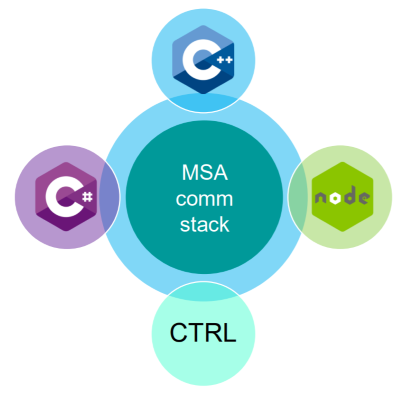
The Manager Service API provides a overarching concept for the following programming languages:
- C++
- CTRL
- C#
- TypeScript/JavaScript
Next Steps
To get started with implementing your own services, refer to the following chapters:
You can find a more detailed example of a Client/Service that demonstrates additional features in the MsaVrpcGreeterDemo_3.21 folder in your installation directory C:\Program Files\Siemens\Automation\WinCC_OA\3.21\MsaVrpcGreeterDemo_3.21. For further details, refer to the included README.md file.