
Requirements and Installation
This topic covers the software requirements, installation of the development environment, and build and deployment process for the WebUI Runtime.
Requirements
The following software is required to develop WebUI Runtime applications:
| Software | Supported version |
|---|---|
| Node.js | 22 LTS |
| npm | 10 or later |
| IDE | Visual Studio Code recommended, but any code editor is suitable |
| AI coding assistant (optional) | Claude Code, GitHub Copilot, or similar tools can accelerate development |
For the general WinCC OA software requirements, see Software requirements.
Runtime Requirements
The following components are required to run a deployed WebUI Runtime application:
| Requirement | Details |
|---|---|
| WinCC OA | Version 3.21 or later |
| webserver.js | Enabled with WebSocket support |
| Browser | Modern browser with ES module and Import Map support, Chrome recommended (see Software requirements) |
| License | A valid Client or Light license. With a Client license, full read/write access is available. With a Light license, access is restricted to read-only. |
Installation
Ensure Node.js 22 LTS and npm 10 or later are installed. A WinCC OA project with an enabled webserver.js must be available.
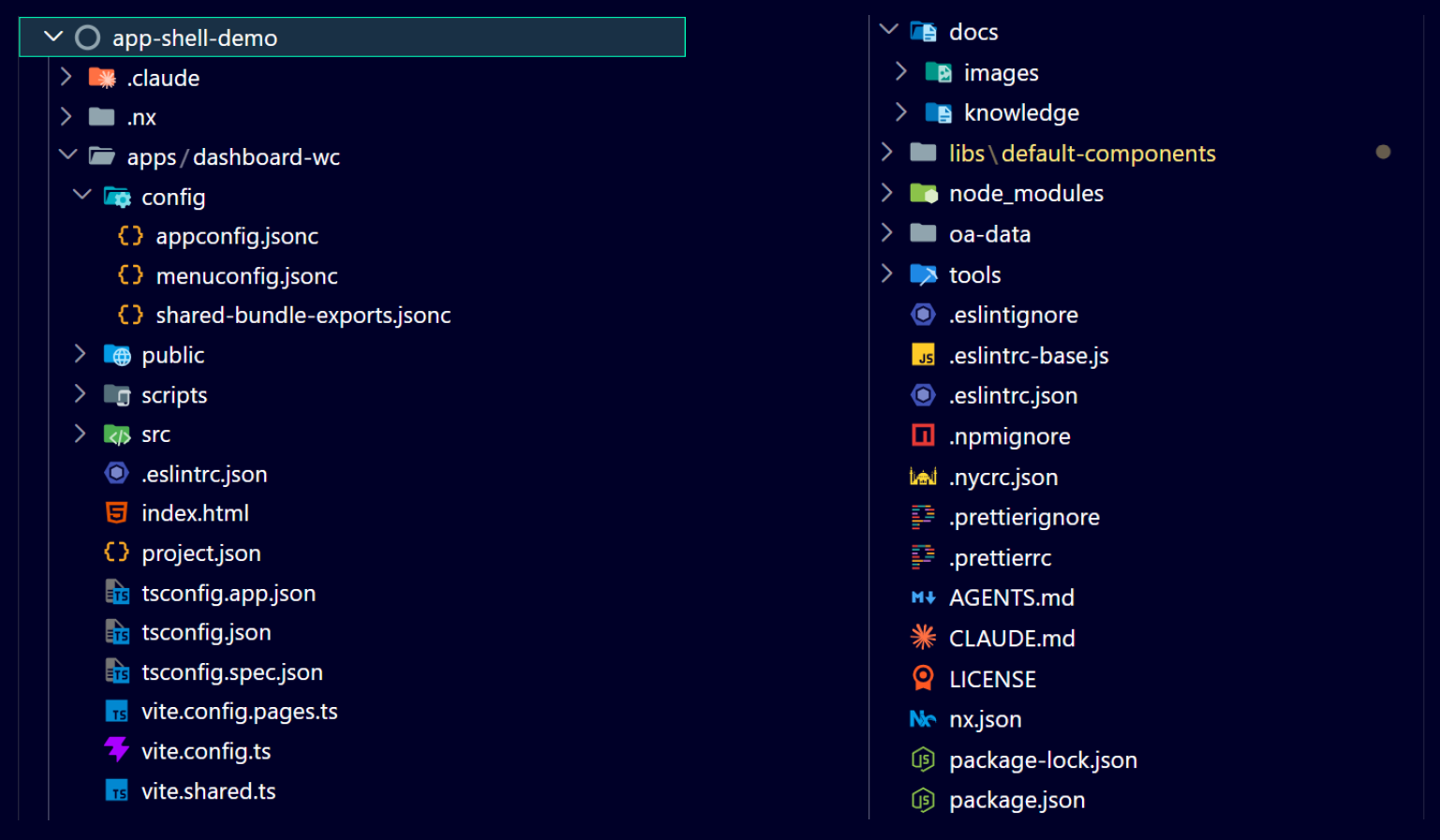
- Create a new empty directory as your workspace and change into it.
- Initialize the workspace by installing the @wincc-oa/webui-runtime package and running the
init scripts:
npm install @wincc-oa/webui-runtime npx webui-runtime-init npm install --save-dev --no-audit --no-fund npm run init:oa-data - Start the development server by running
npm start. The development server starts athttp://127.0.0.1:4300/and proxies WebSocket and REST requests to the WinCC OA backend. The proxy target defaults tohttps://localhost. To point the dev server at a different WinCC OA backend, set theBASE_URLenvironment variable before runningnpm start. The value is read in vite.shared.ts and takes precedence over the default.$env:BASE_URL="https://my-host:8843"; npm startset BASE_URL=https://my-host:8843 && npm startexport BASE_URL="https://my-host:8843" && npm start - Open a browser and verify the setup by navigating to:
http://127.0.0.1:4300/
The development server is now running and connected to the WinCC OA backend. Changes to source files trigger automatic page reloads.
npm install @wincc-oa/webui-runtime, you receive a
snapshot of the workspace in its current form. If a new version of the
WebUI Runtime is released and workspace files have changed, there is no
automatic merge — you must set up a new workspace alongside the
existing one and compare the files manually. To minimize migration
effort, avoid modifying the original workspace files where possible, or
document any changes you make.Build and Deployment
To build the application and deploy it to a WinCC OA
project, set the OUT_DIR environment variable to the
data/dashboard-wc/ directory of the target project
and run the build command.
$env:OUT_DIR="D:\WinCC_OA_Proj\3_21\MyProject\data\dashboard-wc"; npm run buildset OUT_DIR=D:\WinCC_OA_Proj\3_21\MyProject\data\dashboard-wc && npm run buildexport OUT_DIR="D:\WinCC_OA_Proj\3_21\MyProject\data\dashboard-wc" && npm run buildThe build pipeline executes the following stages:
1. Clean the output directory
2. Generate shared bundle entries
3. Build shared bundles (lit.js, ix.js, rxjs.js, wui.js)
4. Build the application (index.html, standalone pages, assets, Service Worker)
After the build completes, open the URL
https://host:port/data/dashboard-wc/index.html in a
browser, replacing host and port
with the webserver.js address.
npm run build:pages to rebuild only the standalone pages
without rebuilding shared bundles or assets.