
Special days table
The special days configuration panel allows to create a scheduler holistic special day list. Out of this list a user-defined number of schedule specific configurations can be deduced. So each schedule can be provided with it’s own list of special days.
The special days panel is arranged in two different areas namely special days and special day lists.
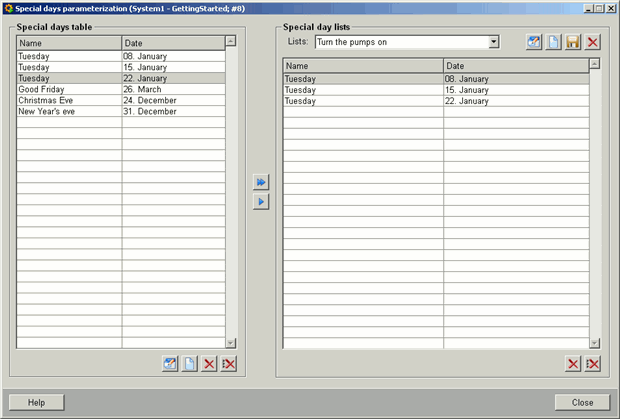
The Special days table allows to define special days with the help of the buttons described below.
 Creates a special day in
the special days table.
Creates a special day in
the special days table.
 Edits and saves the
selected special day.
Edits and saves the
selected special day.
 Deletes a special day from the
table.
Deletes a special day from the
table.
 Deletes all the special days in
the table.
Deletes all the special days in
the table.
 Moves the selected day from the
special days table on the left to the current special day list on the right.
Moves the selected day from the
special days table on the left to the current special day list on the right.
 Moves all days from the special
days table to the current special day list.
Moves all days from the special
days table to the current special day list.
The special day lists allows to create schedule specific special day.
Lists combo box allows to select an existing list.
Creates a new
configuration.
Edits the selected list
name.
 Saves the current list.
Deletes the current list.
Deletes the selected day from the
table
Deletes all days from the
table.