
STD_SIMULATORS
These symbols can be used to generate simulations with random values and other functions.
| Symbol | Symbol name | Description |

|
RampSim | Value simulation with ramp function |

|
RandSim | Value simulation with random function |

|
SineSim | Value simulation with sine function |
RampSim
The simulators generate different curve shapes and can, for example, send values for testing purposes instead of a PLC.The following screenshot shows the active simulator used to create a ramp function whose values are displayed in the trend display symbol (see trend).
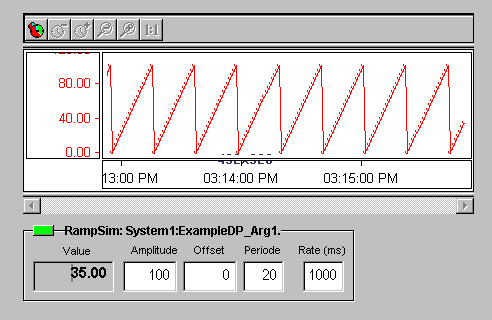
In the corresponding reference editor you specify an appropriate datapoint element, optionally using its (configured) range or values between 0 and 100 as the simulation range.
Click to the red rectangle in the frame to start the simulator; it is red in stopped modus, with a running simulator the rectangle is green. Click again to the (green) rectangle to stop a simulator.