Examples
Send and Receive Topics
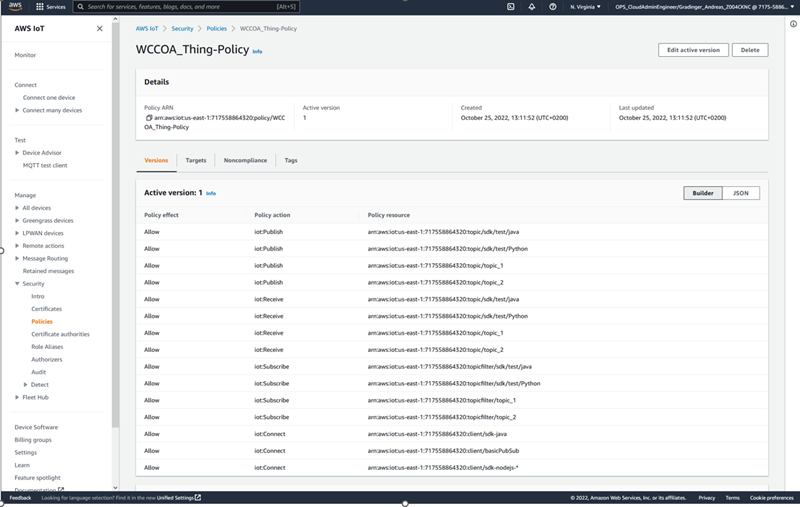
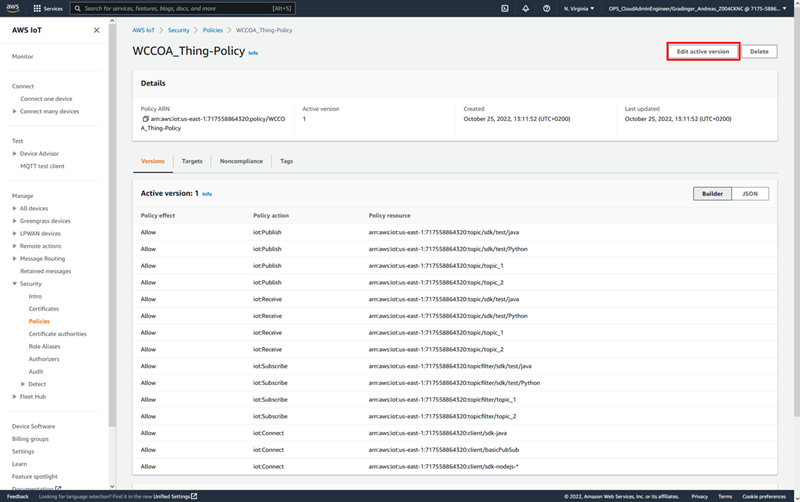
The default Thing in AWS IoT Core offers example topics – e.g. topic_1. All these configurations can be found under AWS IoT/Security/Policies:
Configure an _address Config in WinCC OA
:
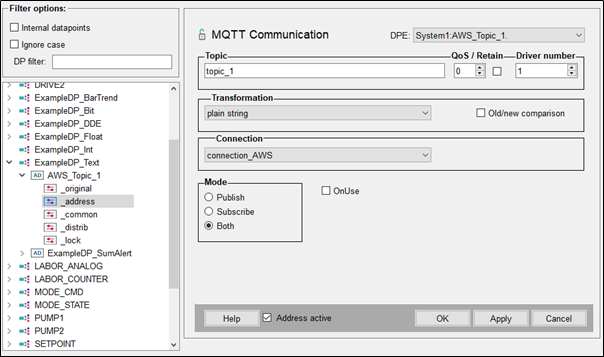
- Configure an _address config as shown below.
AWS MQTT Test Client
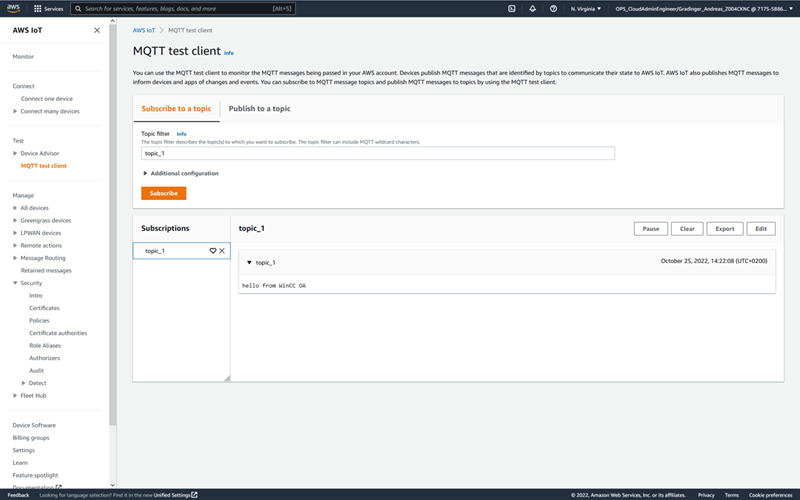
- In AWS IoT Core you can use a test client to publish and subscribe topics:

-
When entering data in WinCC OA and clicking Apply, you can also see this value via the test client:
Add a custom Topic to the Policy
- Go to Security/Policies and select your Thing's policy. Then click Edit active version to edit the policy. For the Policy documentation -
see : https://docs.aws.amazon.com/iot/latest/developerguide/iot-policy-actions.html?icmpid=docs_iot_hp_secure:
- Switch to the JSON view and add a new entry as in the figure below:
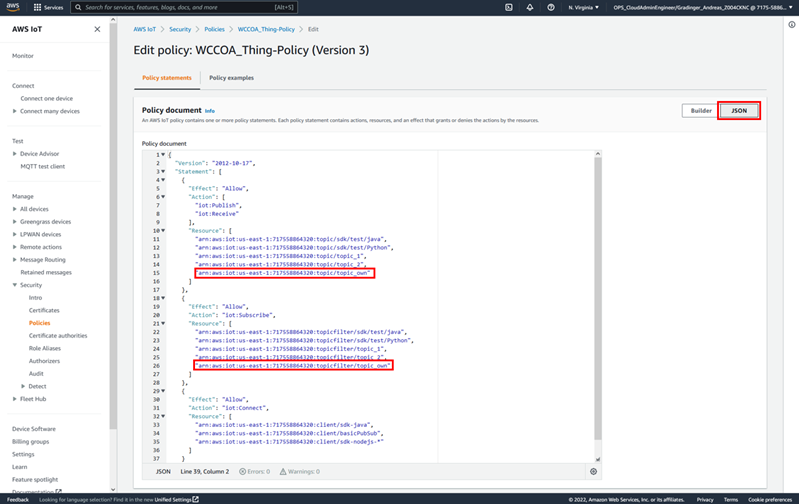
- To activate this policy, select Set the edited version as the active version for this policy and click Save as new version:

- Now update the topic name in WinCC OA:

- and apply the _original value:
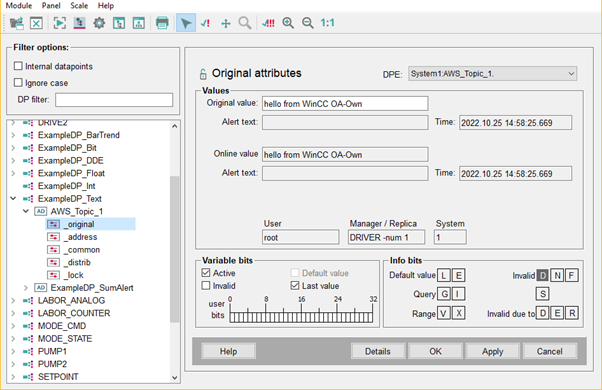
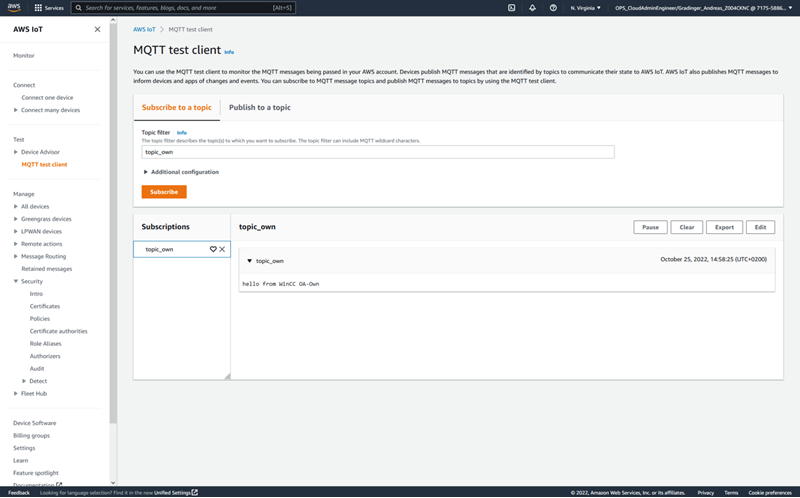
- In the MQTT test client you can now also subscribe to the topic_own and see the published data (value):