
STD_PICTOGRAM
These dynamical symbols load different pictures of technical equipments.
| Symbol | Symbol name | Description |

|
Icon_Computer | Loads Icons of different computers |

|
Icon_NetTools | Loads icons of different net tools |

|
Icon_PLC | Loads icons of different PLCs |

|
Icon_Printer | Load icons of different printers |
Icon_Computer
Drag & drop the Icon from the catalog to a panel for opening the following reference editor:
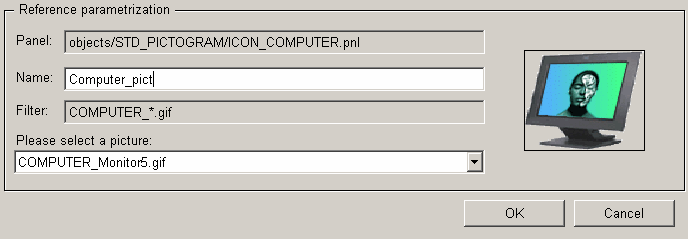
In the combo box ("Please select a picture") below select the desired image (see the preview). Edit a name for the image (Text field "Name"). The disabled text fields "Panel" and "Filter" are not editable. They contain the path and name of the panel, respectively filter searches for images in the directories <wincc_oa_path>/pictures and <proj_path>/pictures corresponding to the filter.
It is possible to create own pictures with appropriate prefix in the project directory: e.g. COMPUTER_Testicon.gif. Afterwards select these pictures from the combo box.