
Devices
This panel allows to enter the IP addresses and IED names. A secondary device can only be configured if the option redundant device is enabled.
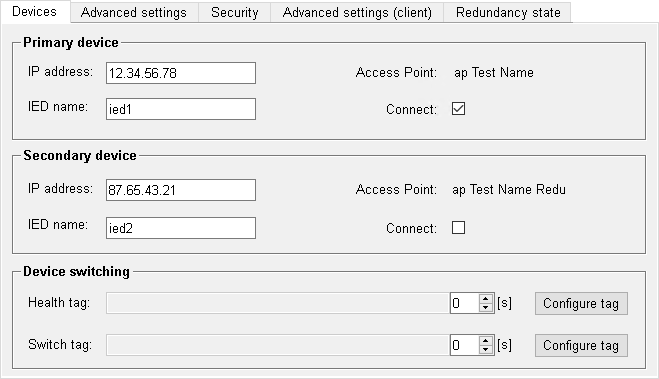
Primary Device
IP-Adresse
Enter the IP address of the device (IEC 61850 server) into the text field IP address.
For entering a port number other than the default (102), the format used must be <IP address>:<Port number>.
Example
IP address with default port number: 192.168.1.150IP address with port number 104: 192.168.1.150:104IED name
IEC 61850 name of the respective IED. It is not necessary to enter the name in case a single connection is manually configured. If the configuration is read from an SCL File, the name shown in the field is taken from the file.
Access point
Allows to define the access point for the device.
Connect
Allows to enable/disable the connection to the respective IED (only when device redundancy is enabled).
Secondary Device
These settings are only available in case of device redundancy.
Device switching
These settings are only available in case of device redundancy.