Modeling of Datapoint Types
In the previous sections we took a look at existing datapoints that are available from the start of any project. However, usually we want to designour own device-oriented datapoints in order to cope with the specific project or industry requirements.
We will design some datapoint types, since we need a couple of datapoints for our example. A [rightMouseClick] on the empty white space in the datapoint tree displays the "Create datapoint type" option.
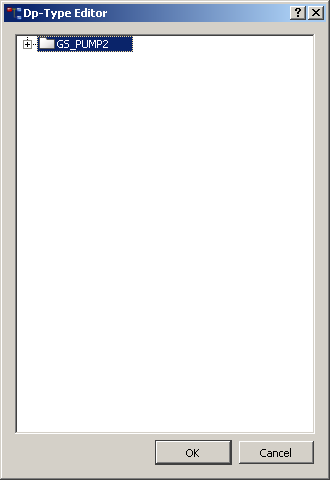
This will open the datapoint editor, where the required data structure can be easily designed:
-
Replace the selected type name "NewDpType" with "GS_PUMP2".
-
Open the context menu with a [rightMouseClick] and select "Insert node".
-
Assign the name "state" to the node.
-
Repeat the step "Insert node" directly at the node "state" and to insert the sub node "on".
-
Assign the datapoint type "bool"to the node "on" with [rightMouseClick] --> Element type.
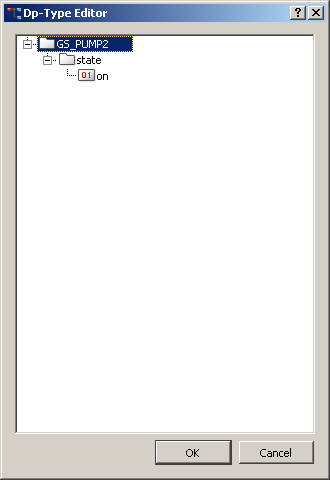
Structure elements are indicated by a directory symbol and external datapoints have an
icon that displays the specific data type (bool, int, float, ...). Therefore, the  symbol indicating a binary
variable is displayed for the element "on" in the following figure.
symbol indicating a binary
variable is displayed for the element "on" in the following figure.
Repeat the steps 2 to 5 in order to create a complete datapoint type as shown in the following figure. Note that the elements .state.speed and .cmd.speed are of Datatype "float". Naturally you can rename or delete nodes etc.
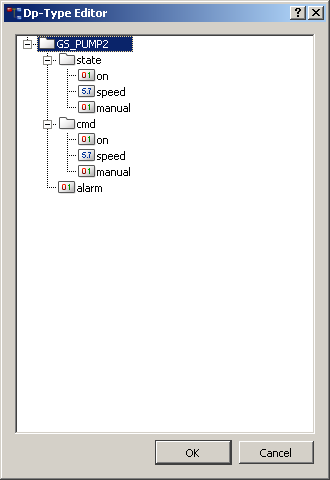
When the datapoint type GS_PUMP2 is complete, select OK in the dp type editor and confirm through Yes.