Defining an Alert Handling for a Datapoint
An alert handling is a property that can be provided per datapoint element. A certain alert state (continuous or discrete) can be assigned to a range of values of the element. While binary datapoint elements can accept two states, the value range of a analog value can be separated to endless monitoring ranges. Accordingly, for binary alert handlings, an alert can be assigned exactly to one of the two possible states. For an analog value, there are generally 2,3 or 5 ranges in which the whole value range of the datapoint element will be divided (maximum 255).
In order to configure an alert handling, select the associated element in the database editor PARA and add an alert handling as a config. This was already described in the chapter Functionality of the Device Oriented Data Object - Configs.
If you work with master datapoints, the alert handling will be added as a PowerConfig directly to the respective element of the master datapoint. You can then set alert limits and other settings using "Configure PowerConfig" on the particular element of a datapoint instance.
If you work without master datapoint, add the alert handling directly to the data point element as a normal config "alarm handling" (_alert_hdl).
In case of analog alert handlings you can specify hysteresis for each alert range so that when thresholds are exceeded or underrun continuously, new alerts will not be triggered permanently. A number of properties is additionally assigned to each alert range. These properties are, for example:
-
Priority of the alert (Priority of the alert range)
-
State model of the alert
-
Required authorization for acknowledging the alert
-
Standard color that is used to signalize the color
-
Historic recording of the alert history (storage)
-
Message actions
-
...
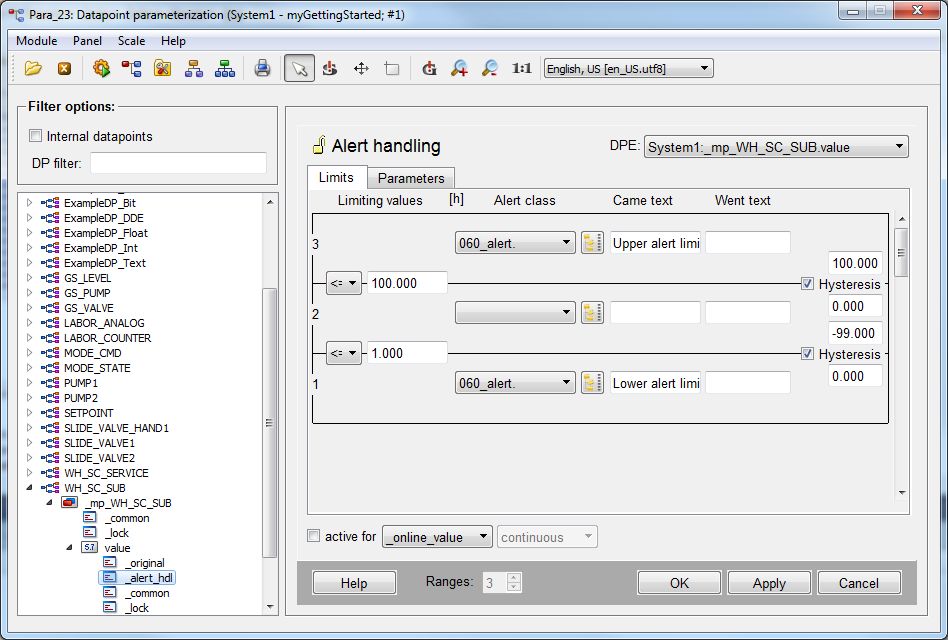
So that you do not have to define these properties for each individual alert range again, alert classes exist in WinCC OA. An alert class comprises such properties so that you only have to refer to the associated alert class in case of an individual alert range of a datapoint element. In the previous figure, you can see such references to alert classes on the right in the "alert class" column next to the high and low alerts. The middle row shows the OK range of the value so that you do not have to define an alert class here.
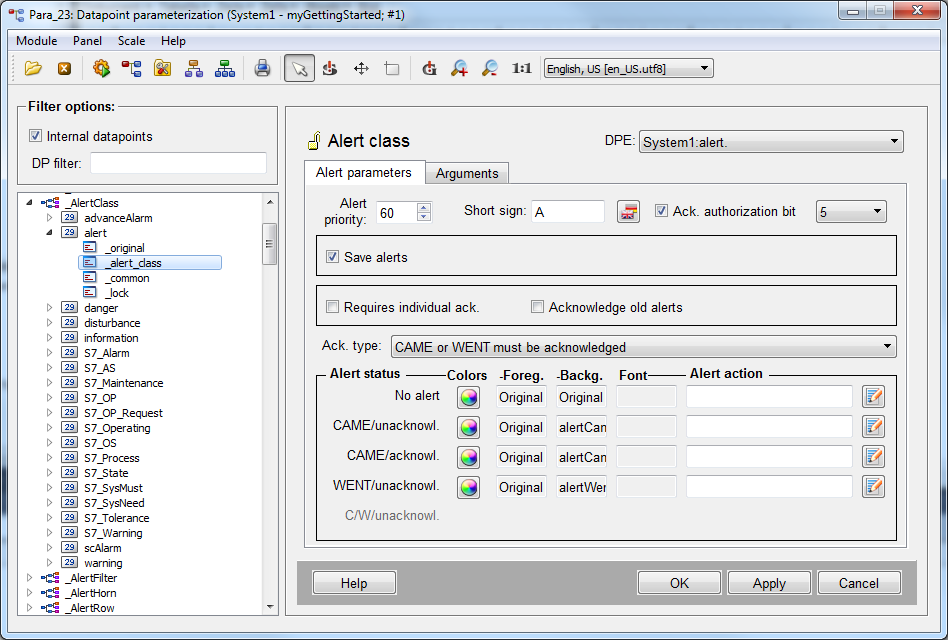
The indication of the alert class is in the example "060_alert". This means priority = "60" and class = "alert". Alertclasses are specified in WinCC OA by using a config with the same name. You can find all alert classes existing by default in the module PARA through the internal datapoint type "_AlertClass" and data points of the same name. In order to view the existing alert classes, open the module PARA, activate the check box "Internal datapoints" above the tree view and navigate to the type _AlertClass.