Login Options
This chapter gives an overview of the available login options.
Login Dialog
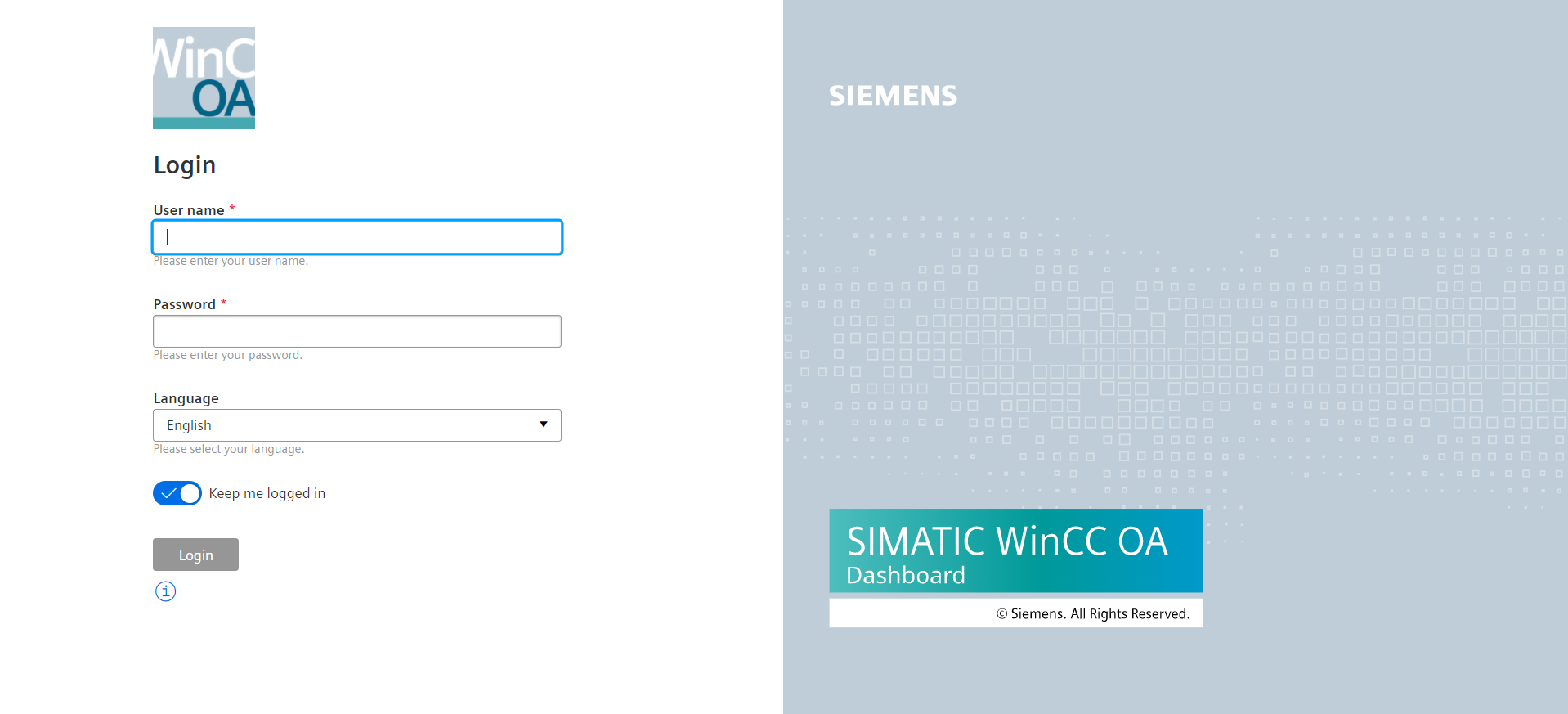
In the login view the user logs in with a WinCC OA user.
The login page also provides the possibility to keep the user logged in. The user can also activate the write permissions to enable writing to datapoints within the project. This must be activated to use the ULC UX Widget.
Failed connections with false logins will lead to an increasing delay until the next attempt can be made. The delay increases from 1 second to 2, 4, 8, 16, 32 and then 60 seconds.
Login via Authentication Token
It is possible to directly access a dashboard without login, if a valid authentication token is used. The token is added to the url as a query parameter. E.g.:
?token=<Token ID>The token is retrieved from the backend by sending a request.
Example script using a curl request for Linux Operating systems:
curl --request GET \
--url https://localhost:8843/WebUI_Token \
--header "$(echo Authorization: Basic $(echo -n 'username:password' | base64))"
Example script for a request on Windows:
$user = 'username'
$pass = 'password'
$url = 'https://localhost:8843/WebUI_Token'

$pair = "$($user):$($pass)"

$encodedCreds = [System.Convert]::ToBase64String([System.Text.Encoding]::ASCII.GetBytes($pair))

$Headers = @{
    ContentType = "text/plain"
    Authorization = "Basic $encodedCreds"
}

[Net.ServicePointManager]::SecurityProtocol = [Net.SecurityProtocolType]::Tls12
if (-not ([System.Management.Automation.PSTypeName]'ServerCertificateValidationCallback').Type)
{
$certCallback = @"
    using System;
    using System.Net;
    using System.Net.Security;
    using System.Security.Cryptography.X509Certificates;
    public class ServerCertificateValidationCallback
    {
        public static void Ignore()
        {
            if(ServicePointManager.ServerCertificateValidationCallback ==null)
            {
                ServicePointManager.ServerCertificateValidationCallback +=
                    delegate
                    (
                        Object obj,
                        X509Certificate certificate,
                        X509Chain chain,
                        SslPolicyErrors errors
                    )
                    {
                        return true;
                    };
            }
        }
    }
"@
    Add-Type $certCallback
 }
[ServerCertificateValidationCallback]::Ignore()


$result = Invoke-WebRequest -Uri $url -Headers $Headers -Method Get

$result.Headers.'Content-Type text/plain; charset=utf-8'
$token = [System.Text.Encoding]::UTF8.GetString($result.Content)

# open browser
Start-Process ("https://localhost:8843/#/dashboard?token=" + $token)Single Sign On (SSO)
The Dashboard can also be used with Single Sign On (SSO). For this the operating system authentication is required and the configuration steps described in the chapter Single Sign On must be performed.
Automatic User Creation with SSO
When the Dashboard is used with SSO, it is not necessary to create the WinCC OA users manually.



