
Configure with DP Group
Configure a DP Group as the data source for the Sparkplug B EoN Node.
-
Inside the Northbound Manager interface, create a new connection with the connection name that has been added to the JavaScript
Manager, see Basic Configuration.
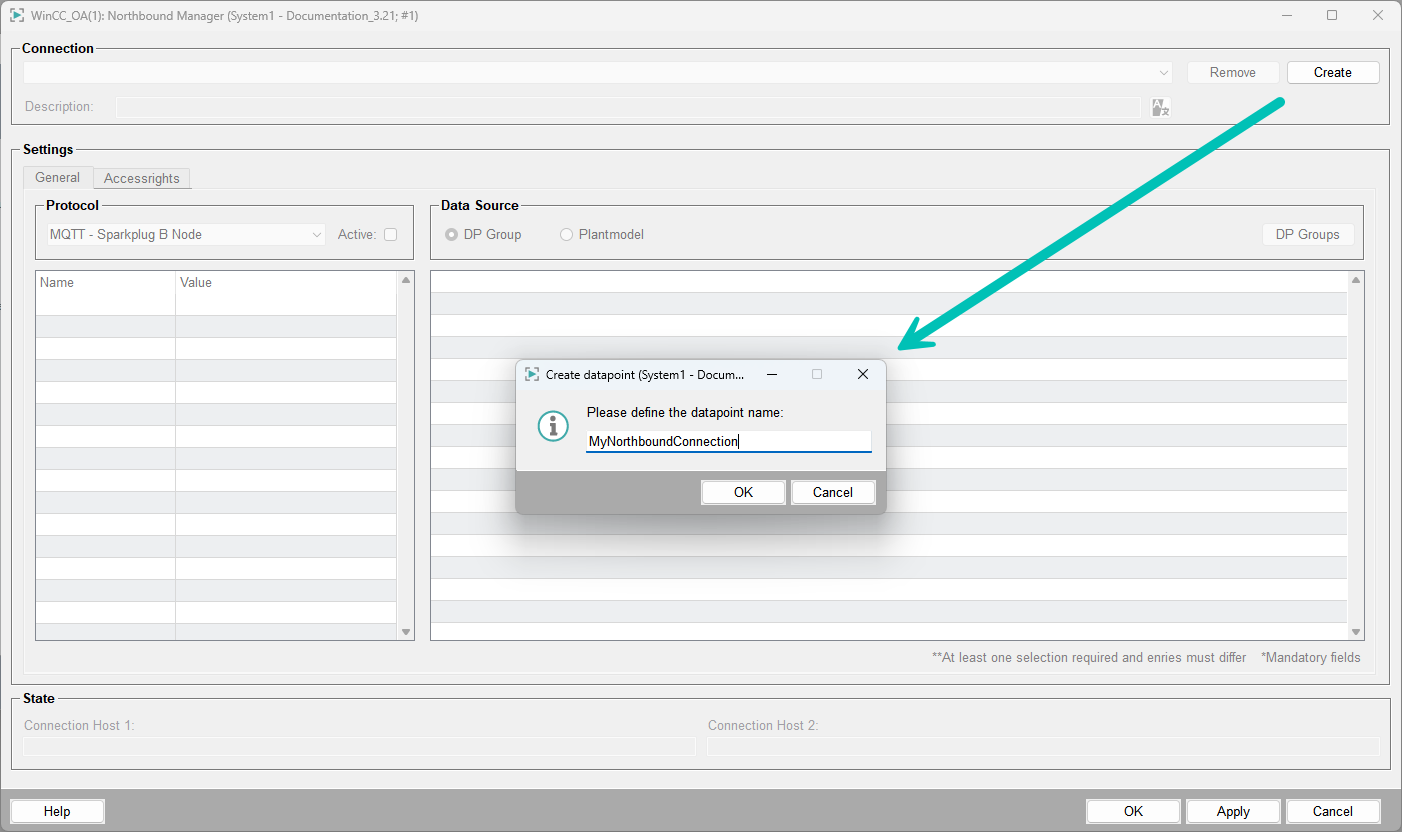
- Select DP Group as the data source in the Northbound Manager.
-
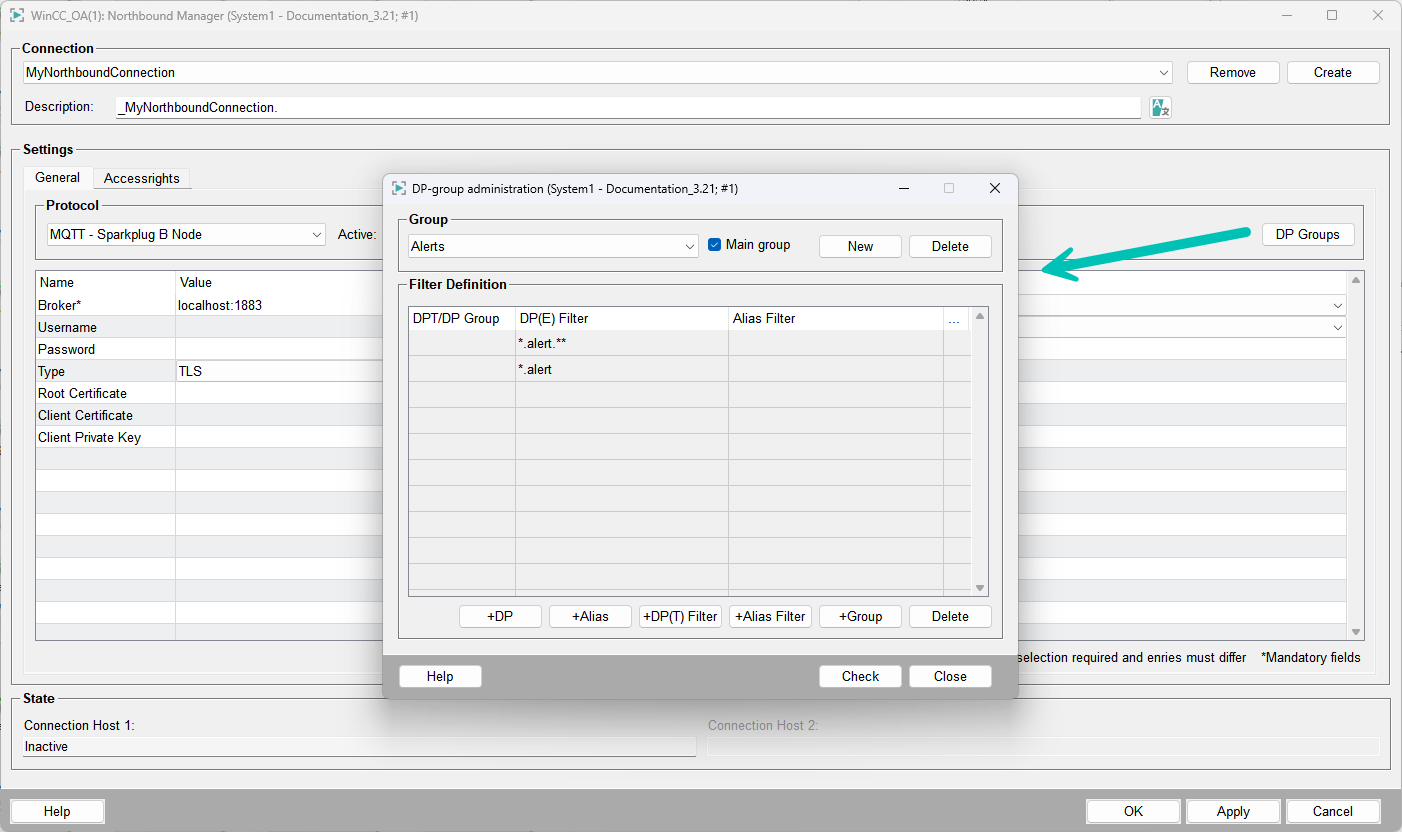
Click DP Groups to open the datapoint group administration window.
-
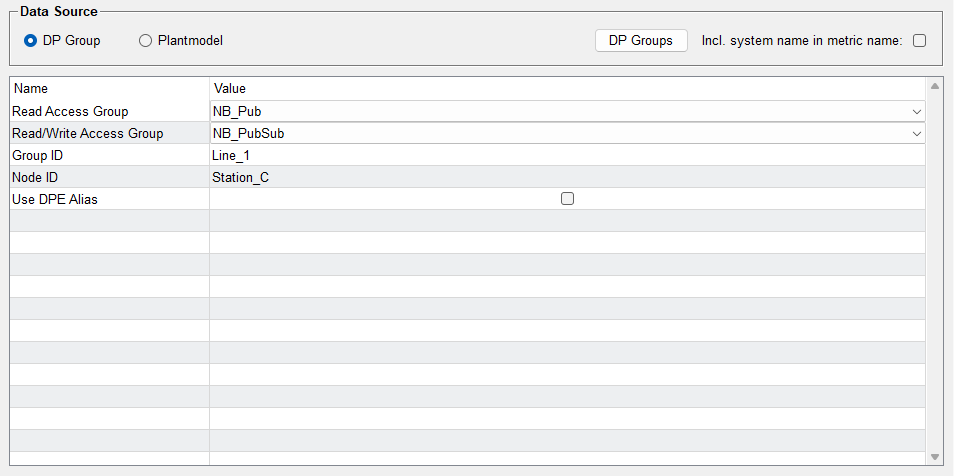
Configure the read and read/write access groups as needed. At least one access group
must be set to activate the connection.
You can either use preexisting datapoint groups or create custom groups.
-
Define filters for the datapoints to be published or subscribed.
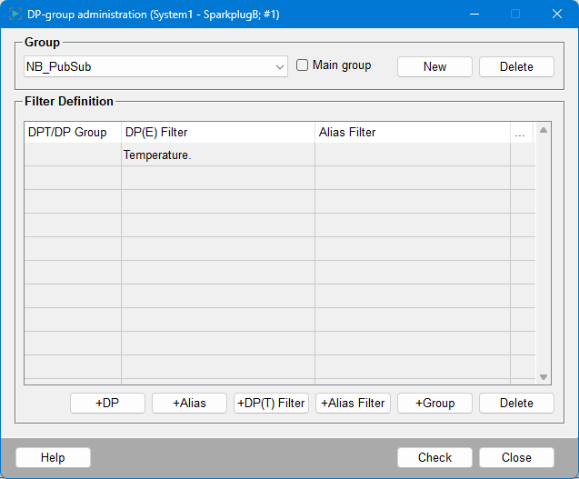
- Click Check to validate the configuration and Close to finish.
-
Set the datapoint groups within the Northbound Manager interface
-
To verify the access rights, check the settings within the tab
Accessrights.
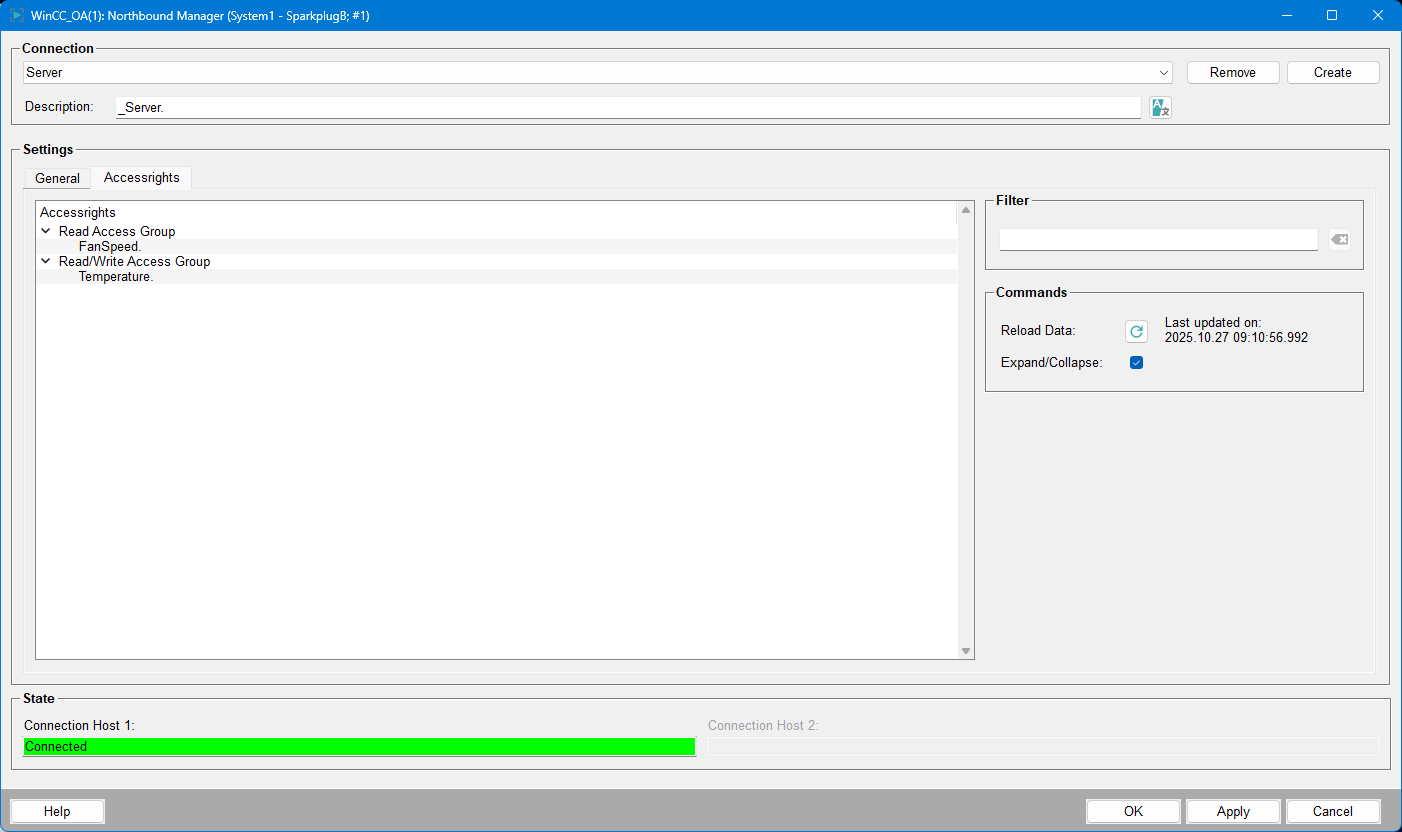
Read access group data is sent as NDATA on value change from the Sparkplug B node (WinCC OA) to the broker. Read/write access group allows writing values via NCMD between WinCC OA and the broker.
Quality mapping for the DP Group data source can be configured using the
"usequalitymapping" option in the datasource configuration. For details,
see Quality Mapping.