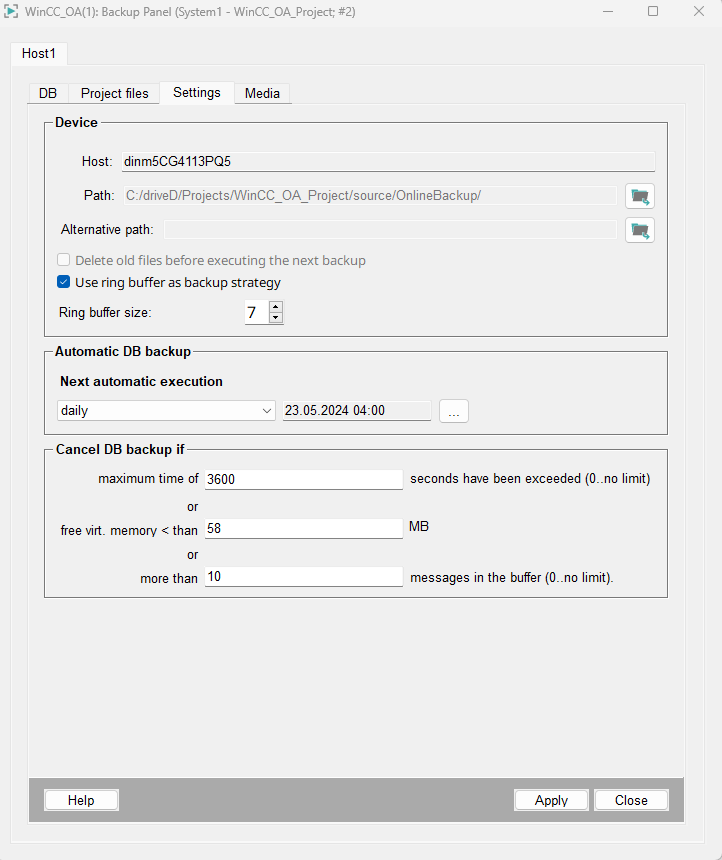
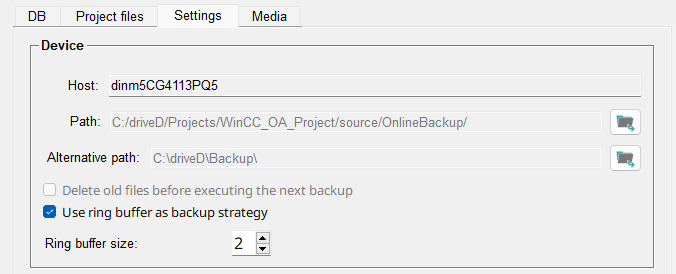
In the Device section the host name is
shown and you can select the path for the backup directory.
CAUTION:
The default path for the Online Backup is
in the WinCC_OA_Proj/source/OnlineBackup. Note, however, that the
location should not be in the WinCC_OA_Proj for security reasons. If
you select another directory from the project path, an error message is shown.
You can either select to delete old files before executing the next
backup or use ring puffer as backup strategy.
For example, if you select use ring puffer as backup strategy
and 5 for the Ring buffer size, backups are created until
there are 5 backups.
When the next backup is created and the ring buffer is full, i.e. there are already 5
backups, the oldest backup is deleted to make room for the new backup.
The ring puffer size specifies how many old backups are saved.
You can save up to 10 backups.
The alternative path can be optionally configured to save a
backup in this path if it cannot be saved in the specified
path.
Note:
The alternative path and
Ring buffer size can only be used for the database
backup.
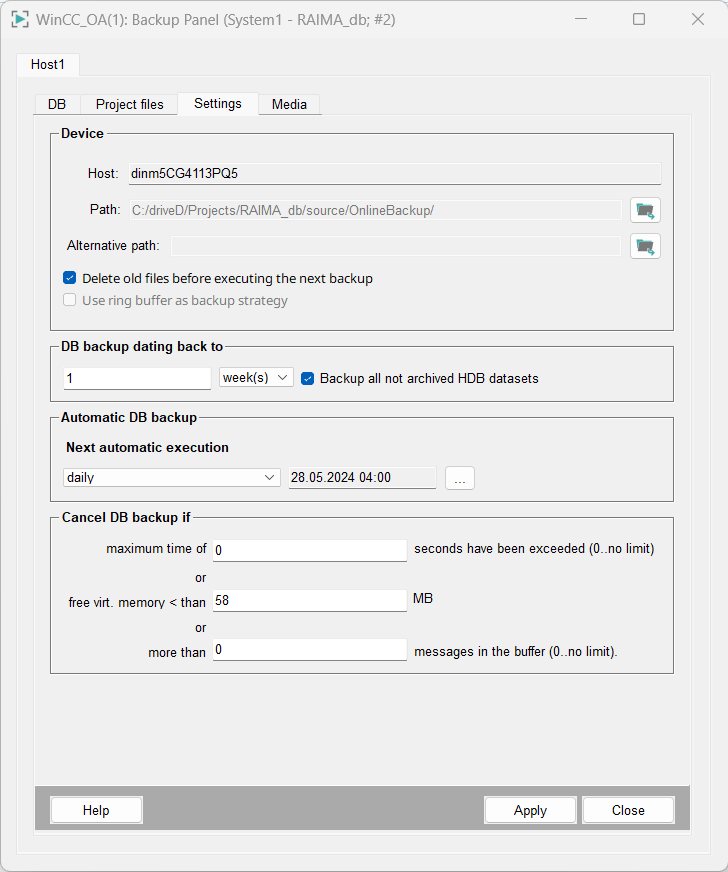
DB backup dating back to
Figure 4. DB backup dating back to
DB-backup range back to: Here you define which period your
online backup should cover. You should set the DB-backup range back to field to an
appropriate interval. "Appropriate" means an interval that corresponds to the
interval at which you copy your important data to external storage, as specified in System Management Panel > Database tab > Online backup > Configuration.
Note:
If you exceed the limit for a selected time range, then
the time range is automatically increased. Example: for days: 1,2,3,4,5,6,7 are
OK. 7 changes to 1 week. 8,9,10,11,12,13 days are 1 week; 14 days change to 2
weeks and so on.
Backup all not archived HDB datasets: Select this option to include all
archive files that were not archived to the online backup yet. Note that this
option is independent of any set backup period.
Automatic DB Backup
Figure 5. Automatic DB Backup
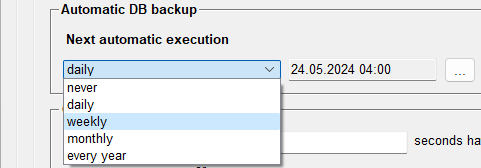
Specify when the next automatic database backup will be
executed. You can select between following options:
Figure 6. Next automatic execution
never
daily
weekly
monthly
every year
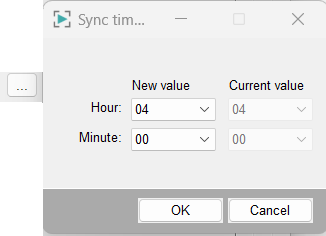
You must also select the time when the backup is executed.
Click on the button with the three dots ... to open the
following panel:
Figure 7. Select the backup time
Tip:
The backup scheduler uses UTC internally. During
daylight-saving time transitions, the backup is executed at the correct local
time without duplication or omission.
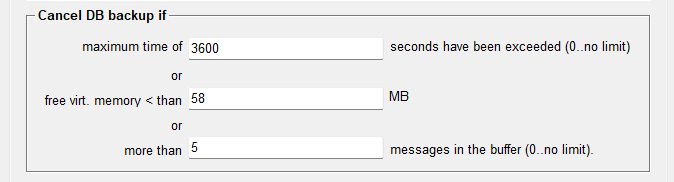
Cancel DB Backup if
Figure 8. Cancel DB backup if
You can cancel the database backup if the maximum number of seconds
specified has been exceeded. If you specify 0, there is
no limit. You can also specify the number of MBs the free virtual memory
must not exceed, otherwise the backup will be canceled.
Alternatively, you can cancel the backup if there are more than specified
number of messages in the buffer. 0 means that there is no limit to
the number of messages.