
System Permissions
The system Permissions are used to define authorization levels for different actions. The level in the System authorizations panel defines what level (for example, 4 in the panel below) a user has to have to perform a specific action.
The authorization level is saved in the _System.Auth datapoint element so that the level can be variable and is not hard-coded in the standard panels like PARA, GEDI. When a user wants to, for example, create a datapoint type or a datapoint, the system checks if the user has the necessary authorization level for this. This is done by the Event Manager. The used authorization level is read from the _System.Auth datapoint and forwarded to the getUserPermission() function.
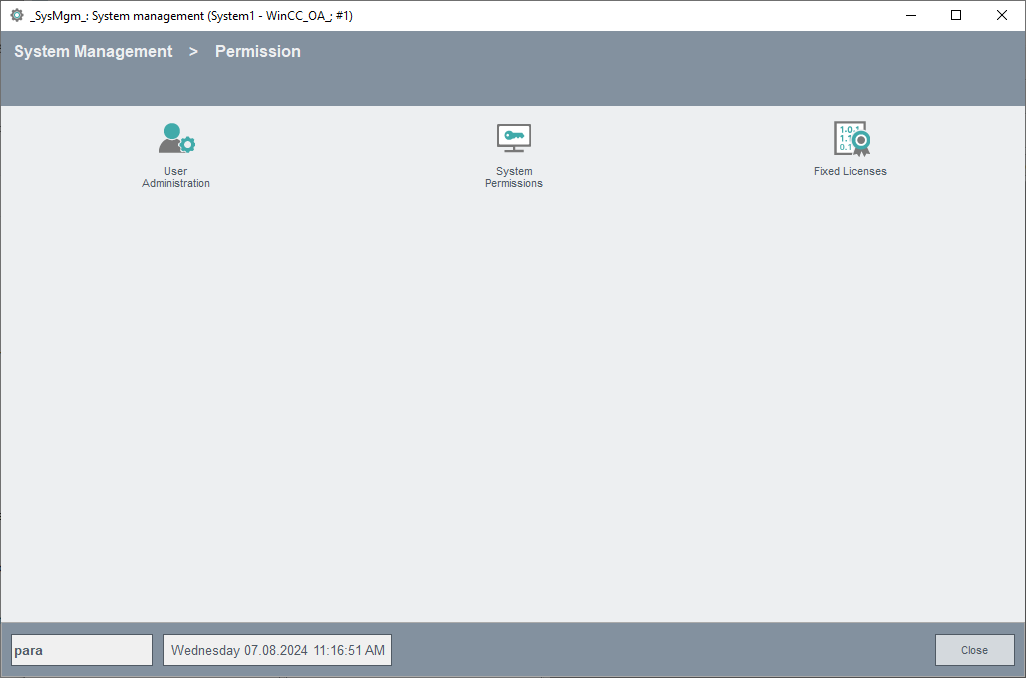
The system authorizations are set by entering the relevant authorization level in the System authorizations panel. The System authorizations panel is opened via the System Management panel. The panel is shown in the figure below. The defined authorization means that only the users that have this authorization level (e.g. level 4, see figure System authorizations panel for assigning system authorizations.) may create, update and delete datapoint types etc.
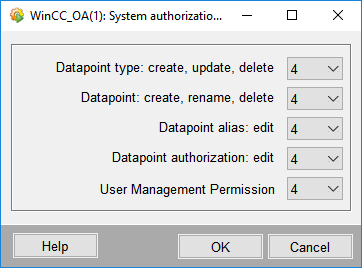
The table below describes the different options and descriptions of the System authorizations panel as well as the _System.Auth datapoint. The authorization levels that can be defined for the different actions in the System authorizations panel above are saved in the _System.Auth datapoint. If you, for example, define an authorization level for creating, updating and deleting datapoint types, the level is saved in the _System.Auth datapoint in the DpType element.
| Option | Description |
|---|---|
| Datapoint type | Users at the specified level are allowed to create, change and delete datapoint types. The authorization level is saved in the _System.Auth.DpType:_original.._value element. |
| Datapoint | Users at the specified level are allowed to create and delete datapoints. The authorization level is saved in _System.Auth.Dp:_original.._value element. |
| Datapoint alias | Users at the specified level are allowed to edit datapoint aliases. The authorization level is saved in _System.Auth.DpAlias:_original.._value element. |
| Datapoint authorization | Users at the specified level are allowed to change the authorization config. All users can create it. The authorization level is saved in _System.Auth.DpAuth:_original.._value element. |
| User Management Permission | Specifies the Administrator rights for the User Administration. A user who possesses the bit that is set for the User Management Permission possesses the administrator rights in the WinCC OA User Administration. |