
OPC UA Views
OPC UA Views provide a way to organize and filter the AddressSpace of OPC UA servers, allowing clients to access specific subsets of data without being overwhelmed by the entire AddressSpace.
Overview
AddressSpaces of OPC UA servers are typically very large, containing extensive amounts of data and nodes. However, OPC UA clients usually need access to only a specific subset of this available information. Clients should not be overwhelmed with viewing nodes in the AddressSpace that are irrelevant to their particular use case or requirements.
To address this problem, the OPC UA specification defines the concept of a View. Each View defines a subset of the nodes in the AddressSpace. The entire AddressSpace forms the default View.
Configuration via Configuration Panel
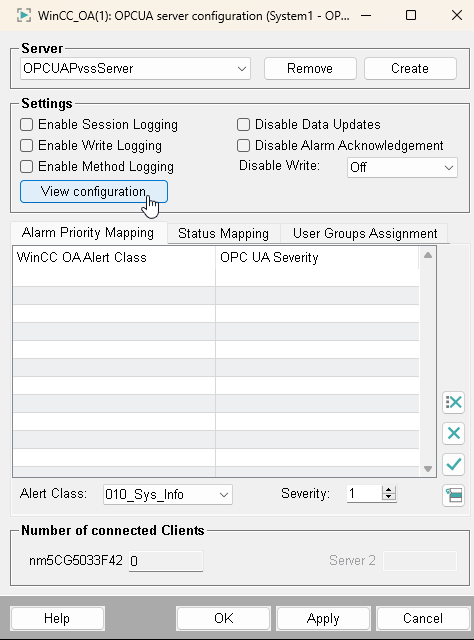
The configuration of the views can be conveniently performed using the OPC UA Server Configuration Panel:
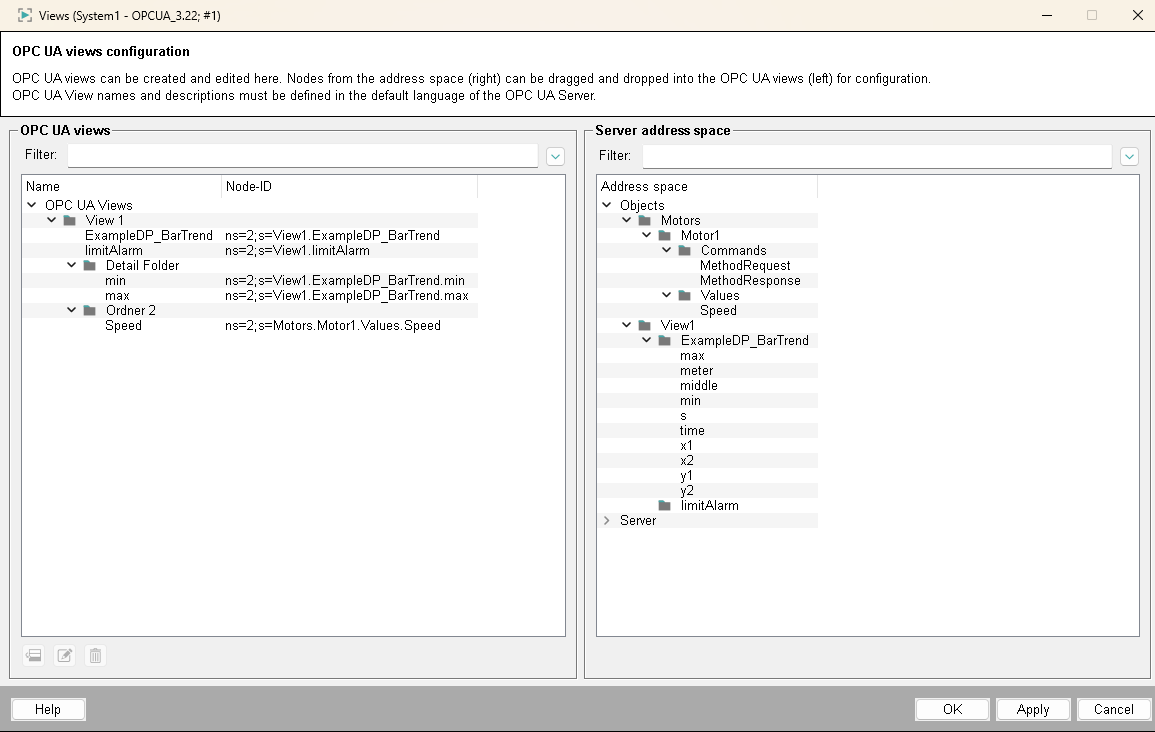
Assignment of nodes to Views:
Using the configuration panel, the existing UA nodes on the right side can be linked to a View or folder on the left side:
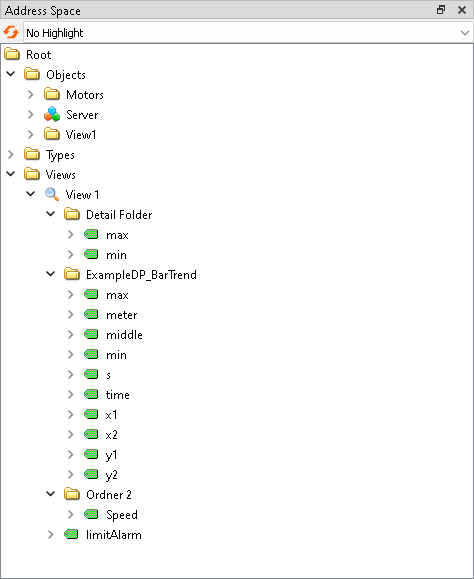
Result of the configuration:
This configuration results in the following structured AddressSpace representation in UA Expert:
Configuration via Data Point Elements
The View configuration is internally stored as a JSON string on the Data Point Element _OPCUAPvssServer.Config.Views in the following structured format:
[
  {
    "id":"ns=2;s=View_1",
    "name":"View 1",
    "description":"Description of View 1",
    "nodes":[
      "ns=2;s=View1.ExampleDP_BarTrend",
      "ns=2;s=View1.limitAlarm"
    ],
    "folders":[
      {
        "id":"ns=2;s=DetailFolder",
        "name":"Detail Folder",
        "description":"Description for Detail Folder",
        "nodes":[
          "ns=2;s=View1.ExampleDP_BarTrend.min",
          "ns=2;s=View1.ExampleDP_BarTrend.max"
        ],
        "folders":[]
      },
      {
        "id":"ns=2;s=Ordner2",
        "name":"Ordner 2",
        "description":"Description for Ordner 2",
        "nodes":[
          "ns=2;s=Motors.Motor1.Values.Speed"
        ],
        "folders":[]
      }
    ]
  }
]
Structure of the JSON configuration:
- id
- Unique identification of the View in the OPC UA AddressSpace (NodeId format)
- name
- Display name of the View for OPC UA clients
- description
- Optional description of the View for better understanding
- nodes
- Array with NodeIds of the nodes that are directly contained in this View
- folders
- Array with subfolders that can contain additional nodes and folders (recursive structure)