
Trouble-shooting the WinCC OA system with the HTTP Server
This HTML page is used for remote diagnostics of the WinCC OA system.
This option is only visible under Windows!
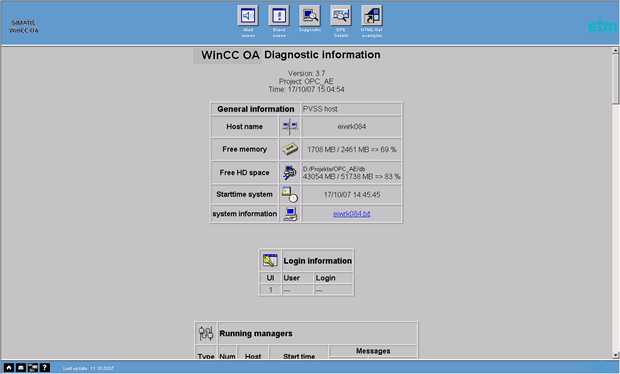
For redundant systems this page displays the same information for the second host in an additional table column. This page also displays the following tables with information:
General information display (see above)
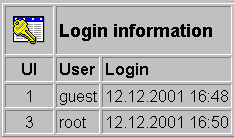
Login information
Displays all active user interfaces with the logged in users and their login time.
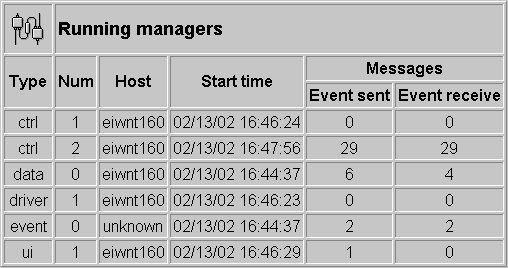
Registered managers
Displays all currently active managers with manager number, host name where the manager runs, starting time and number of telegrams sent to and from the Event Manager (see WinCC OA diagnostics and Diagnostics panels. Edit an Update time for the connections in the latter panel, otherwise no messages will be displayed).
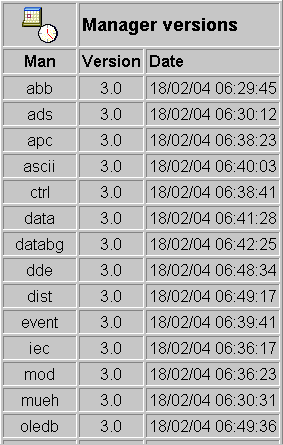
Manager versions
Displays all available WinCC OA managers with version number and date of creation.
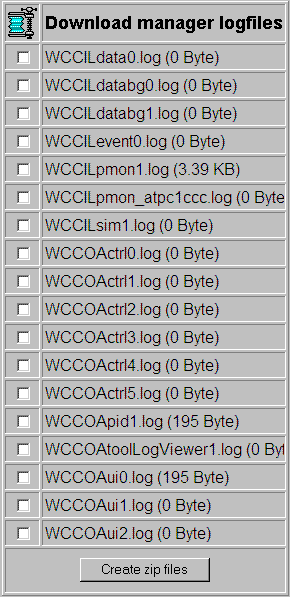
Download manager logfiles
Download facility for WinCC OA logfiles. After selecting the logfiles and clicking "Create ZIP files " the individual ZIP files are listed for download.
For Linux, Zip.exe is included in the current SuSE distribution, for example, in SuSE 6.3 in the "zip-2.2-51" packet. You can also download Zip.exe from the Web.