
xmppSetPresence()
This function allows to change your presence to a specific state -see the parameter description below.
Synopsis
int xmppSetPresence(int clientId, string presence [, string
                    reason]);
Parameter
| Parameter | Description |
|---|---|
| clientid | The unique client id for the client channel. The id is returned by the xmppOpen() function. |
| presence |
The presence status that should be set: Online: The entity or resource is online. Away: The entity or resource is temporarily away. ExtendedAway: The entity or resource is away for an extended period. DoNotDisturb: The entity or resource is busy. Chat: The entity or resource is actively interested in chatting. |
| reason | Reason for, e.g., the offline/away status. |
Return Value
Returns 0 when the function was successfully executed or -1 in case of errors
Errors
Errors can be queried via getLastError().
Description
This function allows to change your presence to a specific state - see the parameter description above.
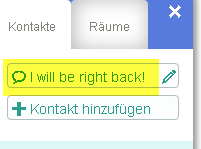
The following example sets the presence status of the user "winccoa.etm@jabber.at" to "Away" and "I will be right back!".
p =
                    xmppOpen("winccoa.etm@jabber.at","123677", "callback", m); DebugN("xmppOpen:",
                    p);
by your own user and password. This code is an example!#uses "CtrlXmpp"
int p;
main(mapping event)
{
p = xmppOpen("winccoa.etm@jabber.at","123677");
DebugN("xmppOpen:", p);
int s = xmppRoomJoin(p,"testraum@conference.jabber.at", "WinCCOA");
DebugN("Joined the room:", s);
/* Change the presence!!! */
int t;
DebugN( "set presence:",t = xmppSetPresence(p,"Away", "I will be right back""));
}
Assignment
Availability
CTRL