How to Export Library Project Data
After the customization of the WinCC OA Library project has been finished, the library project data must be exported before the library can be integrated into WinCC OA projects as a subproject. The following chapter describes how to export the library project data. You can export the library data easily via the Standard Object Library Setup panel or via the ASCII manager.
Unnecessary directories that are not used by the library and unnecessarily increase its size can be deleted. Delete the following directories from the library project: db and log
 EXPORT of Library Project Data VIA the Standard
Object Library Setup panel
EXPORT of Library Project Data VIA the Standard
Object Library Setup panel
-
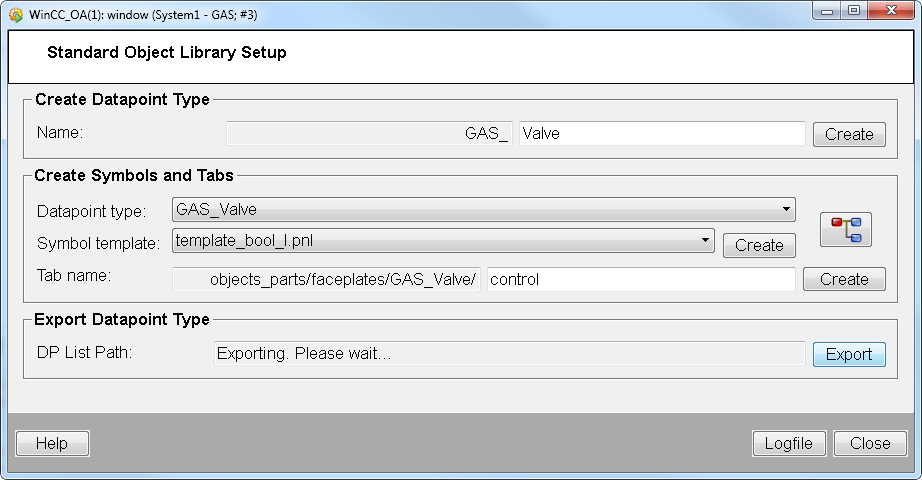
Open the "Standard Object Library Setup panel" via the System Management Panel-> Settings -> StdLib Development Tool.
-
Click on the "Export" button. The panel exports the project data. The file is saved in "Datapoint Lists"/<project name>_stdlib.dpl.
-
In order to use the created library in a project, see further below.
Export of Library Project Data VIA the ASCII
MANAGer
An export of the library project data means that datapoint lists that contain all of the necessary data are exported with the help of the ASCII Manager, in order to be able to use the objects (symbols, datapoint types, faceplates, etc.) created by the library author in an arbitrary project.
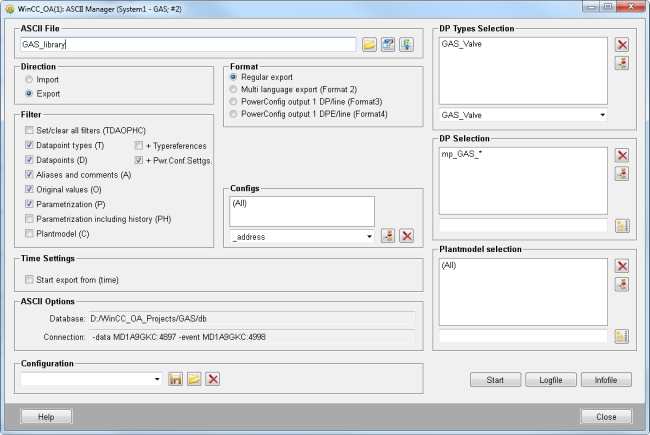
Open the ASCII Manager (System Management - Database ASCII Manager) and select the options "Export" and "Regular export". Both of these options remain unchanged for every export.
-
Under "ASCII file", enter the file location for your library data dpList e.g. GAS_library.dpl. <WinCC OA_Library_Project_Directory>/dplist/GAS_library.dpl.
-
Set the "Datapoint types (T)", "Datapoints (D)"," Aliases and Comments (A)", "Original values(O)", "Parameterization (Configuration) (P)" filter.
-
Add all datapoint types that have been created in the WinCC OA Library project to the "DP types - selection" list. If the naming rules for new library datapoint types have been followed, all of the datapoint types should start with the library project name as a prefix.
-
Add the master datapoints of the added datapoint types to the "DP selection" list. Use wildcards, e.g. _mp_<Library_Project_Name>_*, in order to export all the library datapoint types' master datapoints.
-
Click on "Start" to start the export process.
Export the library for reuse via the ASCII manager as follows.
-
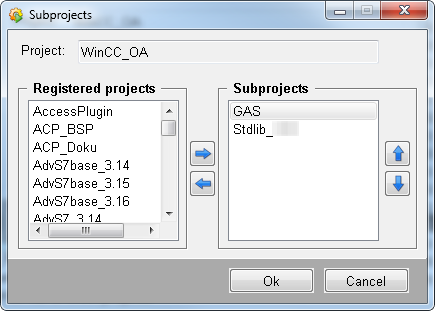
In order to use the created library in a project, add your own created library and the StdLib library to your project as sub projects. Note that the order must be as shown in the figure below
-
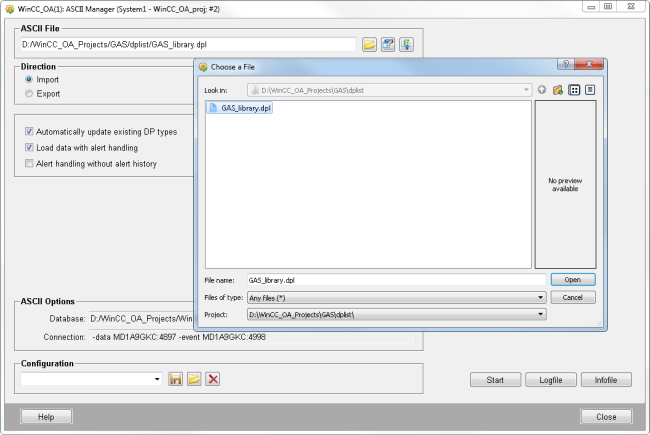
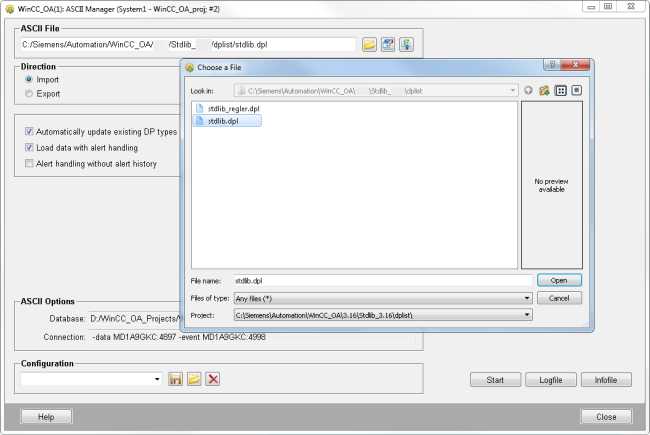
Import the stdlib datapoint list.
-
Import the GAS_library datapoint list.