
Attributes of graphics objects
This chapter describes the attributes that can be used for different graphic objects. The table below contains all graphics attributes whose values can be set or read with CONTROL functions.
Attributes that can be set are identified by "s" in the "set/get" column and those that can be read by "g". Those available for panel references are marked with "R". Thus, the entry "s (R)" indicates that the attribute in question can be set for both graphic elements and panel references.
It is not permitted to simultaneously set two graphics attributes that affect each other. If necessary, you must perform two setValue() commands one after the other.
The "Data type" column lists the data types of the parameters for each attribute in the same order in which they must be passed in setValue() or getValue() functions. The entry string means, for instance, that the attribute in question has only one parameter of type string. The entry int , string states that the attribute has two parameters, the first of which is of the type int whereas the second is of the type string.
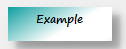
Sets the contents of a simple text called PRIMITIVE_TEXT1 to "Example".
main()
{
  setValue("PRIMITIVE_TEXT1", "text", "Example");
}
or
<Shape>.<Attribut>("value")main()
{
PRIMITIVE_TEXT1.text("Example");
}
Query the content of a primitive text "PRIMITIVE_TEXT2".
main()
{
  this.text("TEST"); //Content of the text = "TEST".
  dyn_langString retVal;
  getValue("PRIMITIVE_TEXT2","text",retVal); //Query of the text
  DebugN("The text is:",retVal); //text output
}
The special shape name "this" that is used to specify the graphic object itself, for
example, this.text("TEST");(see above).
This method is always to be preferred because of its greater readability. It is, however, limited to reading attributes with one parameter and is thus used in parallel with getValue() and setValue(). Other individual exceptions in usage are indicated explicitly in the examples for attributes.
The following table contains all graphics attributes whose values can be set or read by CONTROL functions. Attributes that can be set are identified by "s" in the "set/get" column and those that can be read by "g". Attributes that are also available for panel references contain an (R). Thus the entry s(R) indicates that the attribute in question can be set for both graphic objects and panel references.
| Attribute | set/get | Data type | Valid values | Comment |
|---|---|---|---|---|
| name | s, g | string | Object name | Name of a graphics element |
| type | s, g | string | Object type | Type of graphics element. The name can be specified for an object in GEDI. |
| foreCol | s, g | string | color string | Line color (border color, font color) |
| backCol | s, g | string | color string | Fill color |
| dashBackCol | s,g | string | color string | Only for dashed (border) lines |
| color | s | string | color string | Line and fill color |
| position | s, g | int, int | Coordinates x, y | associated point in the panel |
| rotation | s, g | float | Degrees | Rotation angle (returns the rotation in VISION in relation to the GEDI!) |
| scale | s, g | float, float | Scaling factor x, y | Scaling in the x and y direction. See also the note below this table. |
| enabled | s (R), g | bool | TRUE or FALSE (1, 0) |
Element can be enabled (actions can be triggered by clicking on the element). In case of primitive graphics objects (polyline, border, arc, ellipse) and buttons, a bitmap will be disabled automatically when the object is disabled. Note, however, that WMF formats are not disabled even though the object has been disabled. You can disable a whole panel to disallow user interaction. The cursor shows the "WaitCursor". Therefore, use setValue() and the attribute "enabled" as follows: setValue(myModuleName()+"." +myPanelName()+":", "enabled","FALSE"); |
| visible | s (R), g | bool | TRUE or FALSE (1, 0) | Element is visible |
| cursor | s,g | int | The cursor type |
The cursor type (Control constants) Note: The cursor type can only be set for widgets (e.g. button, clock) but not for simple shapes (e.g. rectangle). |
| toolTipText | s,g | string | Tooltip text | The text shown as a tooltip. |
| imageToClipboard | s | Copies an image of a graphics object to the clipboard. | ||
| imageToFile | s | string | The file name e.g. "C://Images/Trend1". | Saves an image of a graphics object (screenshot).The image is saved as a PNG file. |
| refName | g | string | Reference names | Returns the reference information for a shape. This indicates to what reference a shape belongs to. |
| selected | s,g | bool | TRUE or FALSE | Contains the state of a selection. Can only be changed if a shape can be selected at runtime. This means that the attribute "selectable" has been set for a shape in the attribute editor. See also Multiselection at run time |
| size | g | int, int | The width and height of an object | Returns the width and height of an object. |
| shapeType | g | string |
"PRIMITIVE_TEXT", "LINE", "RECTANGLE", "ELLIPSE", "ARC", "POLYGON", "PUSH_BUTTON", "TEXT_FIELD", "CLOCK", "SELECTION_LIST", "RADIO_BOX", "CHECK_BOX", "SPIN_BUTTON", "COMBO_BOX", "TREND", "TABLE", "CASCADE_BUTTON", "BAR_TREND", "TAB", "ACTIVE_X", "FRAME", "PIPE", "DP_TREE", "TEXT_EDIT", "SLIDER", "THUMB_WHEEL", "PROGRESS_BAR", "TREE", "DPTYPE", "LCD", "ZOOM_NAVIGATOR", "EMBEDDED_MODULE" "SCHEDULER_EWO" |
Returns a string specific to the type of shape. |
| Bordered | ||||
| border | s, g | string | Line type string | line type, border type |
| dashBackCol | s,g | string | Color string | The background color of a dashed line |
| Fillable | ||||
| fill | s, g | string | Fill pattern string | Fill pattern |
| PVSSWidget | ||||
| font | s, g | langString | Font string | Font |
For a shape group the attributes enabled, foreCol, backCol, color and visible are write-only!
Only totally visible shapes can be changed correctly with "scale". When resizing childpanels dynamically you have to remember the correct order (first make the shapes smaller and then the panel).