_common
The config _common is added to entries as soon as you create datapoints. This allows you to give datapoints an alias/description or to specify the format and unit of datapoint elements. Double-clicking on the "_common" config opens the "Common" panel.
Alias names
Config alias names are referenced with @aliasname.
 Example
dpSet("@T1:_original.._value", 6.33);
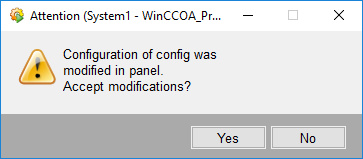
You can specify a multilingual unit. Consider, however, that different texts in several languages could lead to misleading information.
Common panel
-
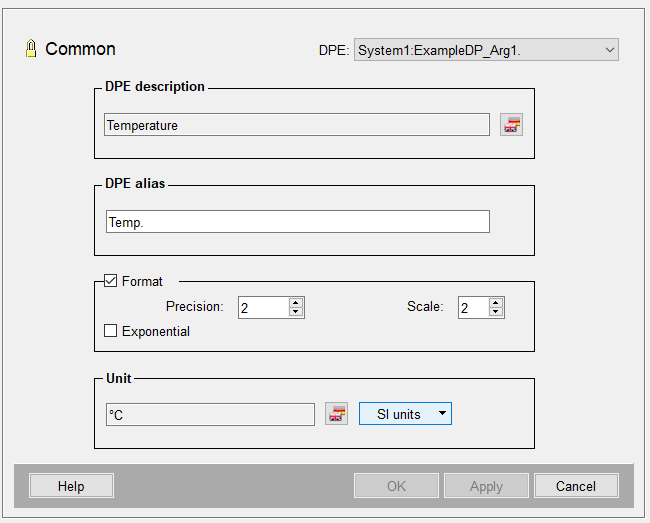
The combo box on the right contains the datapoint name. The other two input boxes are for the description of the DPE and the alias name.
-
The adjacent button opens the LangEditor for multilingual projects.
-
The format can be set using the appropriate Spin buttons. Note that the options are prescribed by the format of the datapoint element.
-
Exponential: this check box provides a scientific notation of very large or small values e.g. 5.555e+006. Edit the original value either exponentially or as a float. With a float the digits are defined by the precision.
-
The button SI units (SI = Système International d'unités) opens a cascade from which you can select units from various areas. The selected unit is copied to the input box.
If "dpSet" writes more than the specified digits to the original/online value, "*****" is displayed in their fields. However, the values set by dpSet still exist and can thus be read, for example by "dpGet". The display is defined by the respective format settings in the Common config.
To read or write values of the Config _commen special functions are available: dpGetDescription(), dpSetDescription(), dpGetAlias(), dpSetAlias(), dpGetUnit(), dpSetUnit(), ...