dpSelector()
Opens the datapoint selector and writes the selected datapoint address to s. See DP-Selector
Synopsis
 int dpSelector (string &s[, bool configs[,string mode [, bool
                    showElements [,string dptype [, string toplevel, [string group, [string
                    comment[, string alias = "" [, bool showCNS = true,  ]]]]]]]]]]);
Parameters
| Parameter | Description |
|---|---|
| s | Variable for the datapoint name |
| configs | Defines, whether configs and attributes should also be displayed |
| mode |
Defines from which system datapoints are selected
|
| showElements | Defines, whether the whole name of the datapoint is returned or not. |
| dptype | Pattern of a dpType (for example, "valve" or "*") |
| toplevel | Name of the main group |
| group | Name of the group |
| comment | Comments of the datapoint elements |
| alias | Aliases of the datapoint elements |
| showCNS | Specifies whether the "Plantmodel" tab is shown or not. For more information on the plant model, see chapter Common Name Service [CNS] Wizard, basics. |
Return Value
If successful 0, otherwise -1.
Errors
This includes missing arguments, undefined functions, incorrect arguments (for example, no Control expression), incorrect assignments.
Details
Valid contents of the variable s is a datapoint address.
An address string cannot be set itself to the argument position of the function dpSelector()! Which is shown by the "&" in the synopsis. A transfer such as dpSelector("Valve02") is therefore not possible.
The function dpSelector(), which opens a Childpanel internally, can only be executed from a shape script.
Example
Assignment of the address marked in the datapoint selection dialog to the variable s.
main()
{
  string s;
  dpSelector(s);
}
Example
Only datapoints from one's own system can be selected, the system id is omitted.
main ()
{
  string s;
  dpSelector(s, true, "OWN_SYSTEM_NAME_NO_SYS");
  // s = "dp.el:_original.._value"
  dpSelector(s, true, "OWN_SYSTEM_NAME_SYS");
  // s = "System3:dp.el:_original.._value"
}
Example
The following script opens the DP-Selector with the datapoint type filter "ExampleDP_Float":
main()
{
  string s;
  dpSelector( s, true, "OWN_SYSTEM_NAME_SYS", true, "ExampleDP_Float");
  DebugN(s);
  }
Example
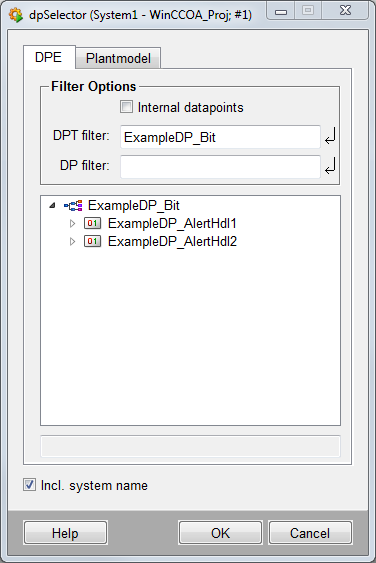
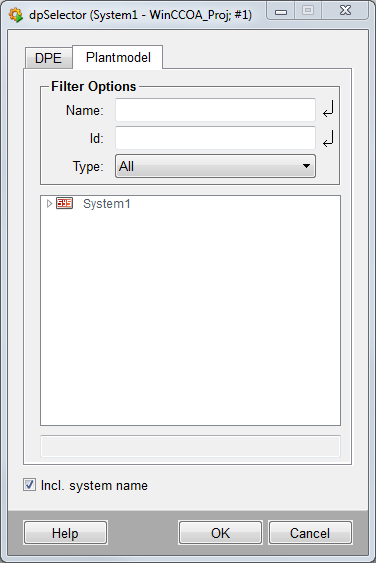
In the following example the datapoint selector is opened and the datapoint type filter "ExampleDP_Bit" is used. Furthermore, the "Plantmodel" tab is opened.
main()
{
  string s;
  dpSelector(s, true, "ALL_SYSTEM_NAME_SYS", true, "ExampleDP_Bit", "", "", "", "", true);
}
Example
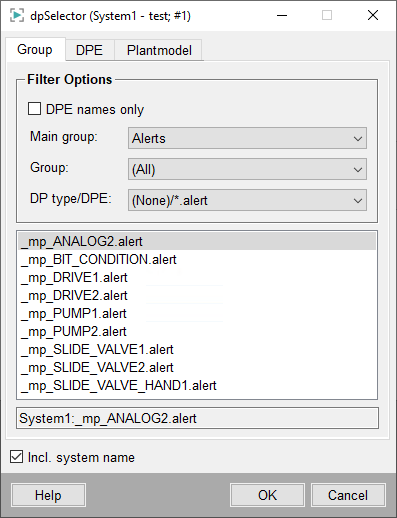
In the following example the datapoint selector is opened with the main group filter "Alerts" and opened to the "Group" tab.
main()
{
  string s;
  dpSelector(s, true, "ALL_SYSTEM_NAME_SYS", true, "", "Alerts");
}